Hospitality
Occupancy, ADR and RevPAR for a Holiday Rental: How to Calculate Them
By MAXORI Studio · Updated 12 October 2026 · 5 min read
Occupancy is the share of available nights that were booked, ADR is the average revenue per booked night, and RevPAR is the revenue per available night. Multiply occupancy by ADR and you get RevPAR. This guide shows the formulas with real numbers and how to track them every month.
The three metrics in one minute
Occupancy rate tells you how often the property is full. ADR (average daily rate) tells you how much you earn on the nights you do sell. RevPAR (revenue per available room or night) combines both and shows what each available night is worth, sold or not.
For a single holiday home, one unit is one room, so RevPAR is simply revenue divided by the nights the property could have been booked.
| Metric | Formula |
|---|---|
| Occupancy | Booked nights / Available nights x 100 |
| ADR | Accommodation revenue / Booked nights |
| RevPAR | Accommodation revenue / Available nights |
| RevPAR (shortcut) | ADR x Occupancy |
Decide what counts as an available night
Available nights are the nights the property was open for sale in the period. For a 30-day month with no restrictions, that is 30. If you blocked 4 nights for your own stay or for maintenance, many hosts count 26, because you could not have sold those nights.
Either approach is valid, but choose one and keep it. Counting all calendar nights is stricter and makes seasonal comparisons simple. Excluding blocked nights shows how well you sold what you offered. Write the rule down so that last year and this year stay comparable.
Worked example for one month
A holiday apartment is available all 30 days of June. It is booked for 21 nights and the accommodation revenue is 2,100 EUR, not counting cleaning fees, tourist tax or platform taxes.
| Step | Calculation | Result |
|---|---|---|
| Occupancy | 21 / 30 x 100 | 70% |
| ADR | 2,100 / 21 | 100 EUR |
| RevPAR | 2,100 / 30 | 70 EUR |
| Check | 100 x 0.70 | 70 EUR |
Why you need all three together
A high rate with empty nights can look worse in your bank account than a lower rate with a full calendar. RevPAR is the figure that settles the comparison. The table shows three ways to earn from the same 30 available nights.
| Scenario | Booked nights | ADR | Revenue | Occupancy | RevPAR |
|---|---|---|---|---|---|
| A, balanced | 21 | 100 EUR | 2,100 EUR | 70% | 70 EUR |
| B, high price | 15 | 130 EUR | 1,950 EUR | 50% | 65 EUR |
| C, low price | 24 | 80 EUR | 1,920 EUR | 80% | 64 EUR |
Common mistakes
Most wrong numbers come from a few repeatable errors.
- Mixing revenue types: include or exclude cleaning fees and taxes consistently, otherwise ADR jumps for no real reason.
- Counting guests instead of nights: a 5-night stay is 5 booked nights, whatever the number of people.
- Splitting stays across months badly: assign each night to the month in which it is slept, not to the check-in month.
- Ignoring blocked nights without a rule, so occupancy changes depending on who calculates it.
- Judging a single month: compare the same month year over year, since seasons distort everything.
Track it monthly in four steps
A short routine at month end is enough. Ten minutes is realistic once the columns are set up.
- List every booking with check-in, check-out, number of nights and accommodation revenue.
- Split stays that cross the month boundary so each night lands in the right month.
- Count available nights using your chosen rule and record it next to the month.
- Calculate occupancy, ADR and RevPAR, then note the previous year's figures beside them.
Questions
What is a good occupancy rate for a holiday rental?
It depends heavily on location, season and property type, so there is no single target. Compare your own months with the same months last year and with similar listings nearby.
Do I include cleaning fees in ADR?
Either way works if you stay consistent. Many hosts exclude cleaning fees and taxes so that ADR reflects the nightly price only.
What is the difference between ADR and RevPAR?
ADR divides revenue by booked nights, so empty nights do not affect it. RevPAR divides revenue by available nights, so it falls when the property sits empty.
How do I calculate these for several properties?
Add up the available nights and the revenue of all units, then apply the same formulas. For example, two units over 30 days give 60 available nights.
Ready-made tools for this
If you prefer a ready-made file, these tools from the shop can help. Rental Performance is an offline browser app for comparing properties and reviewing operating results, and its occupancy figure assumes every property is available all period. Rental Property Tracker is an Excel workbook for rent, payments, costs and deposits for up to 10 units. Both are English-language files and are not accounting or tax software.
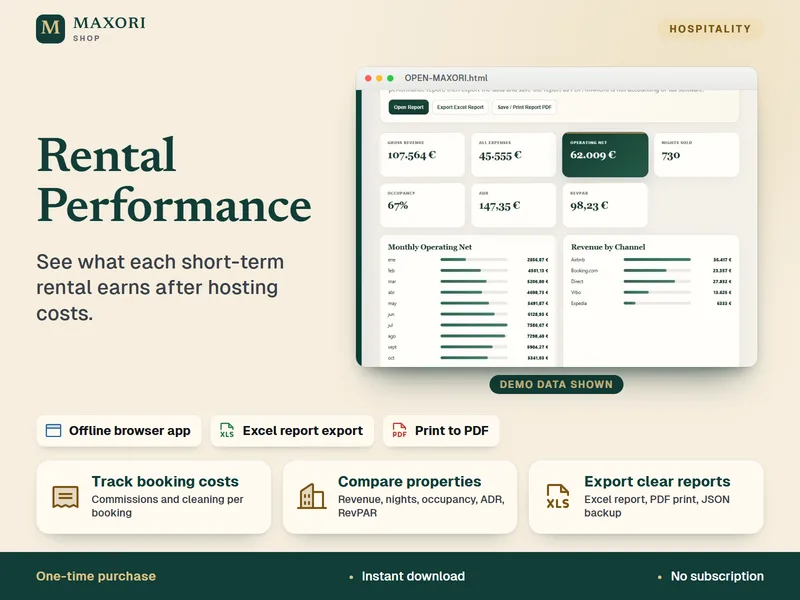
Rental Performance – Profit and Expense Tracker
See what each short-term rental earns after hosting costs.

Rental Property Tracker in Excel – Rent, Costs and Deposits
Track rent due, payments received, property costs and deposits in one Excel workbook.