 1 / 9
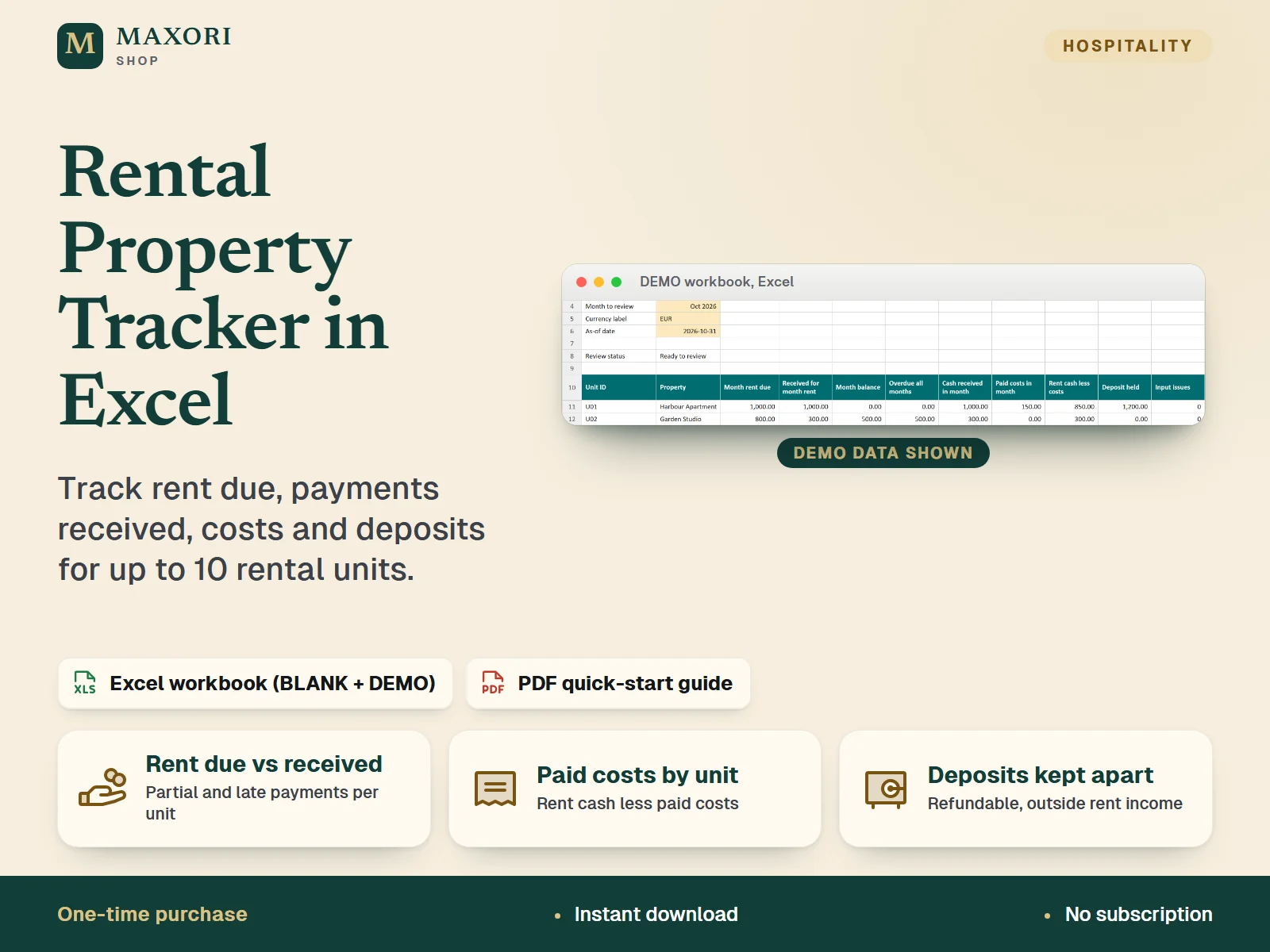
1 / 9An Excel workbook (XLSX) for landlords and hosts with up to 10 rental units: record monthly rent due, actual receipts, outstanding rent, paid costs and refundable deposits, and review the month on one Overview sheet. A BLANK workbook, a fictional DEMO and a PDF quick-start guide are included.
The problem it solves
Rent obligations, partial payments, repairs and refundable deposits end up in different notes and files, so it is hard to see what is owed, what arrived and what each unit cost.
Who it is for
Landlords, long-let owners and hosts with a small portfolio (up to 10 units) who want a simple record of rent and costs in desktop Excel.
What you get
- Compare rent due with payments received per unit, including partial and late payments
- See outstanding and overdue rent for the month you select, up to an as-of date
- Record paid property costs and see rent cash less paid costs
- Keep refundable deposits in their own register, outside rent income
- Flagged-input checks highlight duplicate IDs, unknown references and invalid dates or amounts
- Start from the BLANK workbook or learn first with the fictional DEMO
How you use it
- Download and unzip your purchase, then read the quick-start PDF and try the fictional DEMO.
- Open the BLANK workbook in desktop Microsoft Excel and use Save As to create your own working copy.
- Add your units, then enter each month's rent due in Rent Due (gold cells are inputs; keep formula cells intact).
- Record every receipt in Payments, paid costs in Expenses and refundable deposits in Deposits.
- Choose the month and as-of date on Overview, review the flagged-record count, and save dated XLSX backups.
Questions
Does it work in Google Sheets or on a Mac?
It is built and tested for desktop Microsoft Excel on Windows. Google Sheets, Excel for the web, Mac and mobile have not been verified.
What is the difference between the BLANK and DEMO files?
BLANK is your empty starting template. DEMO contains fictional records so you can see how rent, payments, costs and deposits are calculated before entering your own data.
Does it connect to my bank or collect rent online?
No. All records are entered by hand. There is no bank feed, online sync or payment collection.
How many units and rows can I use?
Up to 10 units and 240 prepared rows in each transaction register. When a register is full, archive a copy and start a new workbook.
What is included
- MAXORI-Rental-Property-Tracker-BLANK.xlsx: empty workbook, 7 sheets (Overview, Rent Due, Payments, Expenses, Deposits, Units, Guide)
- MAXORI-Rental-Property-Tracker-DEMO.xlsx: the same workbook filled with fictional example records
- MAXORI-Rental-Property-Quick-Start.pdf: 3-page quick-start and reference guide (English)
- START-HERE.txt: short setup and licence notes
Requirements
Desktop Microsoft Excel (not included). Tested in Windows desktop Excel on 9 October 2026: open, edit, recalculate, save and reopen. No macros or external links. Google Sheets, Excel for the web, Mac and mobile have not been verified.
Version 1.0
Good to know
- 10 units and 240 prepared rows per transaction register; there is no automatic rollover when a register is full.
- One currency per workbook: the currency label does not convert amounts.
- Manual tracking: no bank feed, cloud sync, payment collection, automatic reminders or link to other MAXORI products.
- Not certified accounting or tax software and not a legal deposit-compliance system; confirm your legal obligations separately.
- The files are in English only. Workbook files are not encrypted: keep your backups private.
- A one-time digital download, not the MAXORI online software; the demo data is fictional.
This is a downloadable digital product, not online software. It does not need an account and is not part of the MAXORI Software subscriptions.
Works well with
Rental Property Tracker in Excel – Rent, Costs and Deposits
€8.35