Work
Time Blocking Weekly Planner: How to Plan Your Week in Blocks
By MAXORI Studio · Updated 13 October 2026 · 5 min read
Time blocking means giving each important task a specific slot in your calendar instead of keeping a loose to-do list. To plan a week this way, choose three priorities, place them in blocks first, add buffers and leave room for the unexpected. This guide shows the method step by step with a sample week.
What time blocking is, and when it helps
A to-do list tells you what to do. A time-blocked week also tells you when. Because a task has a slot, you decide in advance instead of choosing in the moment, which is when it is easiest to drift towards email and small tasks.
It suits people with some control over their schedule, such as freelancers, remote workers and small business owners. If your day is mostly driven by incoming requests, use fewer and larger blocks and keep more free space.
Plan the week in six steps
Do this once a week, for example on Friday afternoon or Sunday evening. It usually takes fifteen to twenty minutes.
- Write down the three results that would make the week a success.
- List fixed commitments first: meetings, appointments, school runs, deadlines.
- Place a block for each of the three priorities, ideally when your energy is best.
- Group small tasks, such as email and invoices, into one or two short admin blocks.
- Add buffer time between blocks and keep at least one open slot per day.
- Block breaks and the end of the working day, so they actually happen.
A sample week
This is an example of a freelancer week. Times and block lengths are only an illustration: adapt them to your work and to the hours when you concentrate best.
| Day | Morning | Afternoon |
|---|---|---|
| Monday | Planning, then Priority 1 (deep work) | Client calls, admin block |
| Tuesday | Priority 1 (deep work) | Priority 2, buffer |
| Wednesday | Priority 2 | Meetings, open slot |
| Thursday | Priority 3 | Priority 3, admin block |
| Friday | Finish loose ends | Weekly review, plan next week |
Block sizes and buffers that work
Long enough to make progress, short enough to stay focused: for concentrated work, ninety minutes to two hours is a common range, but try what suits you. For admin, thirty to forty-five minutes is often enough.
Most plans fail because tasks take longer than expected. Add buffer after demanding blocks, and keep a daily open slot to absorb whatever runs over. If a block is missed, move it to the open slot instead of dropping it.
- Deep work: one or two long blocks per day
- Admin: one or two short blocks, grouped
- Buffer: 10 to 15 minutes after demanding blocks
- Open slot: at least one per day
- Breaks and lunch: block them too
Common mistakes
Overfilling the calendar is the most frequent problem: a plan with no gaps breaks at the first interruption. Another one is blocking tasks without a clear outcome. Instead of work on report, write finish the draft of sections 1 to 3.
Do not treat a missed block as failure. Time blocking is a way to see what really fits into a week, and a few weeks of adjusting give you a more realistic idea of how long your tasks take.
Review on Friday and adjust
At the end of the week, compare plan and reality. Which blocks were skipped, which overran, which interruptions repeated? Note the pattern and change one thing in the next plan: shorter blocks, a different time of day, more buffer.
Keep the planner somewhere you will see it, on screen or on paper. A plan you cannot see is rarely followed, and a plan that is revisited every week gets better.
Questions
What is a time blocking weekly planner?
A planner that divides the week into blocks, each reserved for a task or type of work, so that you decide in advance when things get done.
How long should a time block be?
It depends on the task. Ninety minutes to two hours is a common range for focused work and thirty to forty-five minutes for admin, but adjust to your own rhythm.
What if my plan falls apart in the middle of the week?
Move the missed block into the next open slot or re-plan the rest of the day. Keeping buffers and open slots makes this much easier.
Is it better to use paper or an app?
Either works. Paper is quick to scan and easy to annotate, an app is easy to edit. Choose the one you will actually look at every day.
Ready-made tools for this
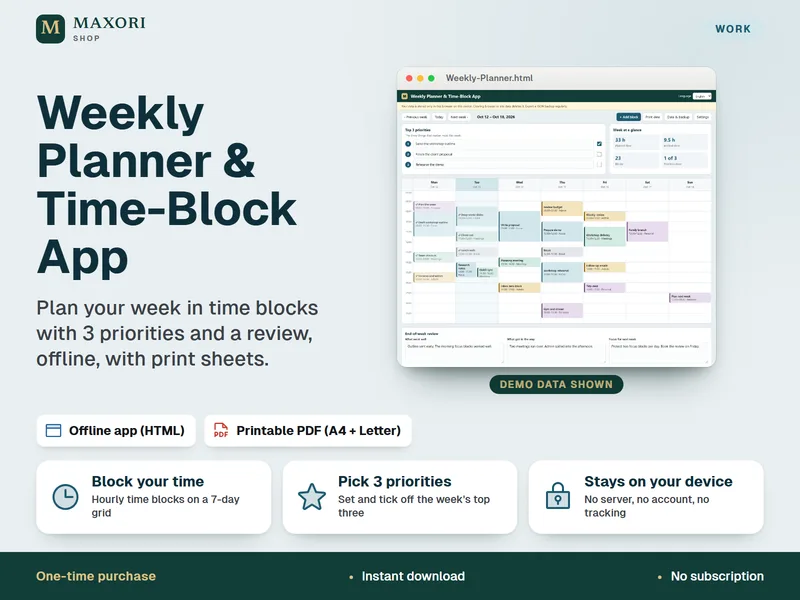
The Weekly Planner & Time-Block App is an offline app in a single HTML file, with colour-coded time blocks, top 3 priorities, a print view and JSON export and import for backup, in five languages. A printable weekly sheet as PDF (A4 and US Letter) is included.