Hospitality
Smart Lock Code Rotation Log for Vacation Rentals: What to Track and How
By MAXORI Studio · Updated 17 October 2026 · 6 min read
Door codes tend to be changed when someone remembers. A guest code stays on for weeks, a repairer's temporary code is never removed, and nobody can say when the door was last rotated. A simple log fixes that. This guide covers what to record, when to rotate, a routine to follow and the safest way to handle the codes themselves.
Why keep a rotation log
A log answers three questions quickly: who has access to which door, when was each code last changed, and what is overdue. Without it, you rely on memory, and memory fails exactly when several people (guests, cleaners, co-hosts, maintenance) hold codes at once.
What to record
Keep it small and consistent. One row per lock, key box or keypad, and one per person who holds a code.
- Property and door, type of lock, and the app or system it uses.
- Who holds a code: role (guest, cleaner, co-host, maintenance, owner) and name or booking reference.
- Date issued, valid-until date and the date it was removed from the lock.
- Date of the last rotation and whether the lock is rotated after every check-out.
- Only the last two to four digits of each code, as a reference. Never the full code.
When to rotate a code
Many hosts change the guest code after every check-out, and the codes of other people at set intervals or when someone stops working with them. A temporary code should always have an end date. There is no universal rule: choose a routine you will actually follow and write it down.
Do not keep full codes in a shared file
A spreadsheet is easy to copy, forward or leave open. Treat it like a note taped to the door: do not type full door codes into it, and do not share a file that contains them. Keep the full codes in the lock's own app or in a password manager, and log only a short reference such as the last digits, so that the log is useful without being a risk if it is seen.
A 10-step routine after a check-out
Adapt the order to your lock, and follow the maker's instructions.
- Confirm the guest has left.
- Create the new code in the lock's app.
- Delete the old guest code.
- Remove any expired temporary codes.
- Test the new code from outside the door.
- Check the battery level.
- Check that the key box or backup access works.
- Send the new code to the next guest only at the agreed time.
- Update the log with the date and the last digits.
- Note anything that needs attention before the next stay.
Questions
How often should I change smart lock codes?
There is no universal rule. Many hosts change the guest code after every check-out and review other codes regularly. Pick a routine you will actually follow.
Is it safe to keep door codes in a spreadsheet?
It is better not to. Keep full codes in the lock's own app or a password manager, and log only a short reference such as the last digits.
Should temporary codes have an end date?
Yes. A code with no end date is easy to forget on the lock. Write the end date when you create it and remove the code afterwards.
Does a log make my property secure?
No. It is a record and a reminder, not a security measure. Follow your lock maker's instructions and any local requirements.
Ready-made tools for this
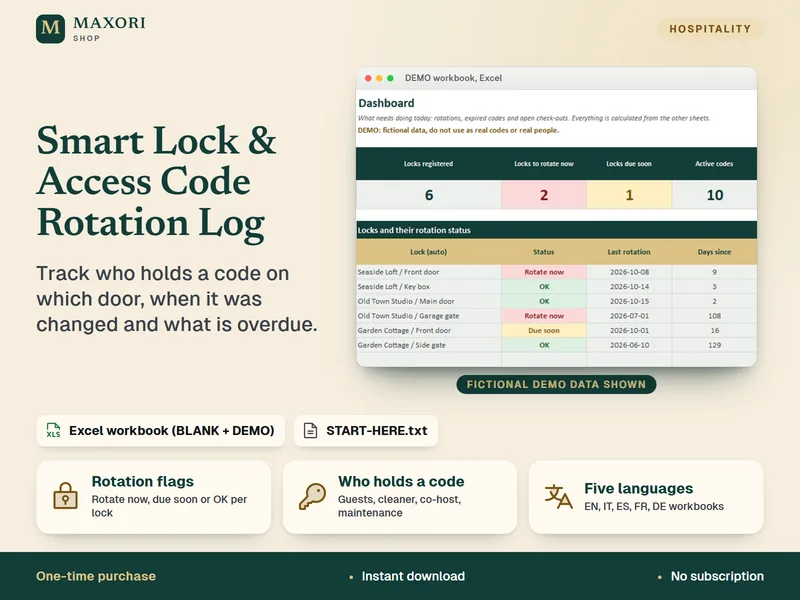
The Smart Lock & Access Code Rotation Log is an Excel workbook for hosts and small property managers: locks, access codes, check-outs and rotations with flags for locks to rotate and expired codes still on the lock, plus a 10-step procedure, BLANK and DEMO files in five languages. It stores only the last digits of each code by design. It is a register and a reminder: it does not connect to any lock, is not a security audit, and was tested in desktop Excel for Windows only.