 1 / 10
Preview inside
Browse the real pages of this product, page by page, before you buy.
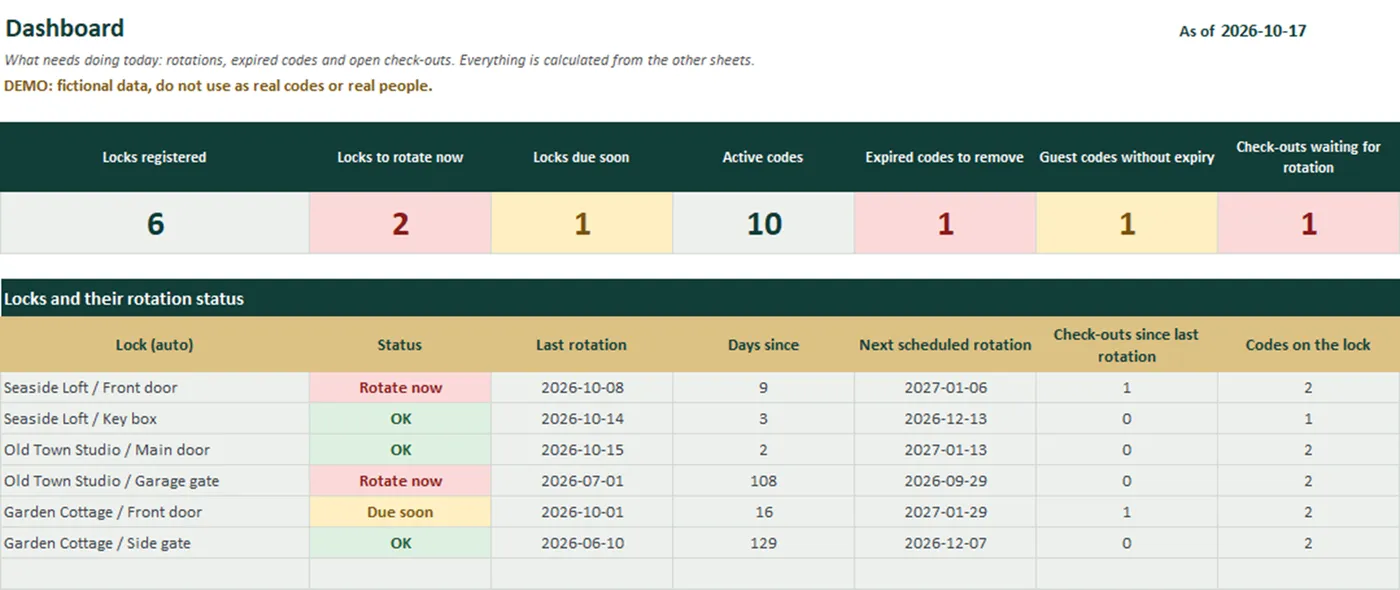
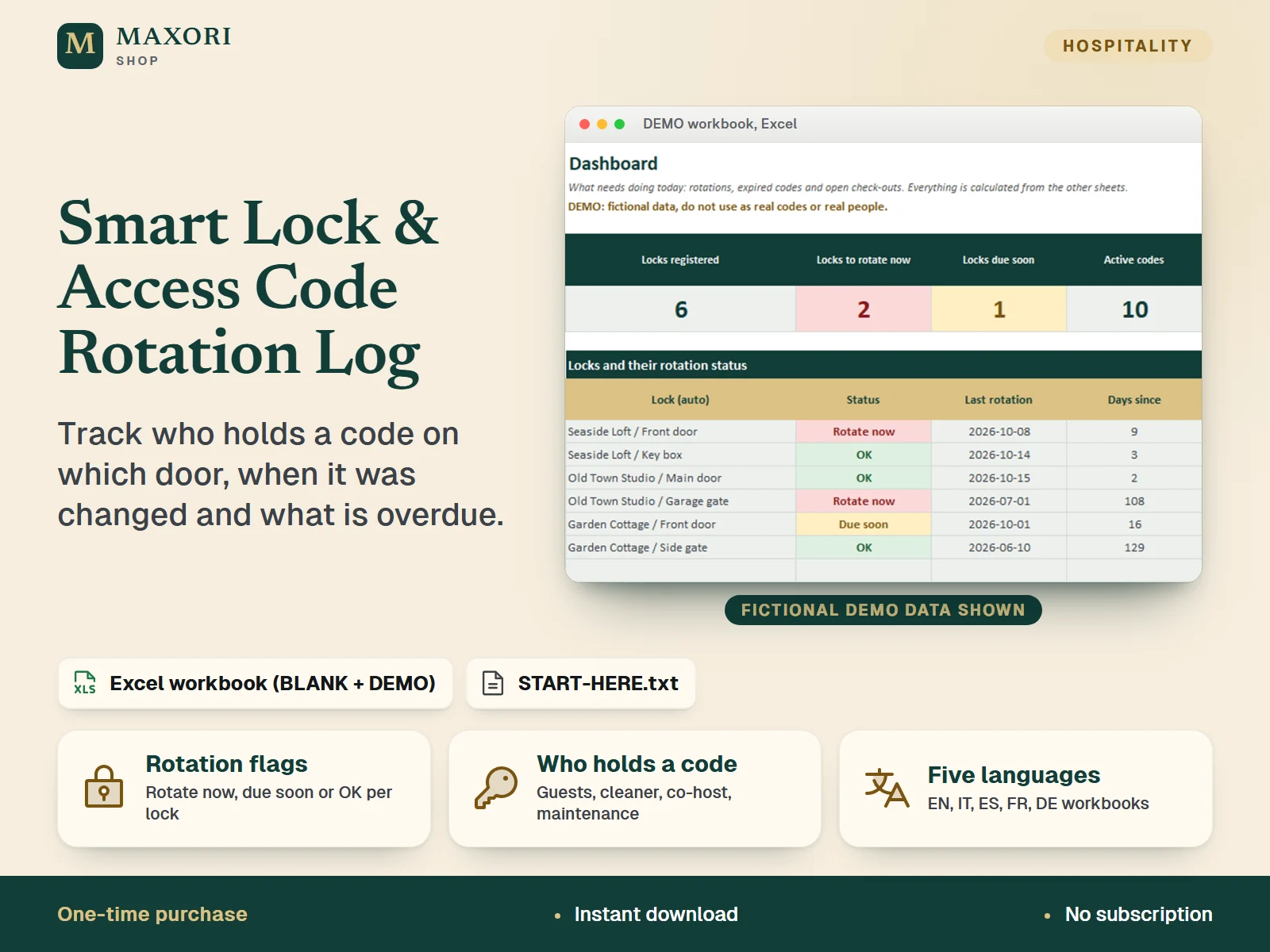
Real screens of the product with fictional example data. The file you download is editable or printable as described above.
An Excel workbook (XLSX) for short-term rental hosts, B&B and guesthouse owners who use smart locks, keypads, key boxes or gate codes. Register each lock per property, record who holds a code (guest, cleaner, co-host, maintenance, owner) with issue and valid-until dates, log each guest check-out and each code rotation, and the workbook flags locks that need a new code, codes that expired but are still on the lock, and guest codes with no end date. A 10-step rotation procedure is included. A BLANK workbook and a DEMO workbook with fictional data come in English, Italian, Spanish, French and German. It stores only the last digits of each code, by design.
The problem it solves
Codes are changed when someone remembers. A guest code stays on the lock for weeks, a plumber's temporary code is never deleted, and nobody can say when a door was last rotated or who still has access.
Who it is for
Hosts, B&B and guesthouse owners and small property managers with one or more rentals and several people holding door codes, who work in desktop Excel.
What you get
- A register of every lock, key box and keypad per property, with the rule 'rotate after every check-out: yes or no' and a maximum number of days between rotations
- Rotation flags worked out from your dates: Rotate now, Due soon, OK or No rotation logged, with the reason shown
- Access Codes sheet: role, name or booking reference, issue date, valid-until date and removal date, with an Expired: remove flag for codes still on the lock
- Check-outs sheet shows which departures have been followed by a rotation and which are still waiting, with grace days you set
- Dashboard with totals, a status table for every lock and a list of expired codes still to remove
- A 10-step rotation procedure to follow each time: new code, delete old codes, test from outside, check batteries, update the register
- Built for safety: the code columns accept 6 characters at most, so you keep only the last digits here and the full codes in the lock's own app
- All files in English, Italian, Spanish, French and German; start from the BLANK workbook or learn first with the DEMO
How you use it
- Download and unzip, open the folder of your language and try the DEMO workbook first.
- Open the BLANK workbook in desktop Microsoft Excel and save a working copy. In Setup, check the grace days, the default maximum days between rotations and the lists.
- In Locks, add one row per lock, key box or keypad: property, door, type, last digits of the code, and whether it is rotated after every check-out.
- Add each guest departure in Check-outs and each code change in Rotation Log. Add each person who holds a code in Access Codes and fill Removed on when you delete it from the lock.
- Read the Dashboard for locks to rotate, expired codes to remove and check-outs still waiting.
Questions
Does it store my door codes?
No, and it should not. You keep only a short reference such as the last 2 to 4 digits; the cells reject more than 6 characters. Keep the full codes in the lock's app or a password manager.
How does it know a lock needs a new code?
For locks set to rotate after every check-out, it flags Rotate now when a check-out older than your grace days has no rotation logged after it. For every lock it also flags when the days since the last rotation exceed your limit.
Can it change codes on my smart lock automatically?
No. It is not connected to any lock or app. It tells you what to do and records what you did.
Is it really in five languages?
Yes. Sheet names, headings, lists, status words, the procedure and the START-HERE guide are provided in English, Italian, Spanish, French and German, in separate folders. The translations have not been reviewed by native speakers.
Does it work in Google Sheets, LibreOffice or Excel for Mac?
It was tested in desktop Excel for Windows only. Other programs were not tested, so we cannot promise they behave the same.
What is included
- One folder per language (en, it, es, fr, de), each with the same files in that language
- BLANK workbook (XLSX): 8 sheets - Start, Dashboard, Locks, Access Codes, Check-outs, Rotation Log, Procedure, Setup
- DEMO workbook (XLSX): the same workbook with fictional data (3 properties, 6 locks, 15 codes)
- START-HERE.txt in every language folder, plus a short START-HERE.txt at the top level
Requirements
Microsoft Excel for desktop (not included). Built and tested with Excel 16.0 for Windows: all 10 workbooks were recalculated with no formula errors and the rotation, expiry and dashboard logic was checked with probe data. No macros and no external links. Mac, Excel for the web, phone apps, Google Sheets and LibreOffice were not tested.
Version 1.0
Good to know
- Capacity: 20 locks, 150 access codes, 300 check-outs and 300 rotations. Calculated cells are locked without a password.
- It is a register and a reminder. It does not connect to any lock, smart-home app or booking site and it never changes or sends a code.
- Flags depend only on the dates you type and on the as-of date (today in the BLANK workbook). If the dates are wrong or missing the flags will be wrong or silent.
- Do not type full door codes: the code columns accept 6 characters at most, and the file is not encrypted. Keep full codes in the lock's own app or a password manager.
- Not a security audit and no guarantee that a door is secure. Follow your lock maker's instructions. The 10-step procedure is general good practice, not a standard.
- Example data is fictional. For your own business use; reselling or sharing the files is not allowed.
- This is a one-time digital download, separate from the MAXORI online software.
This is a downloadable digital product, not online software. It does not need an account and is not part of the MAXORI Software subscriptions.
Works well with
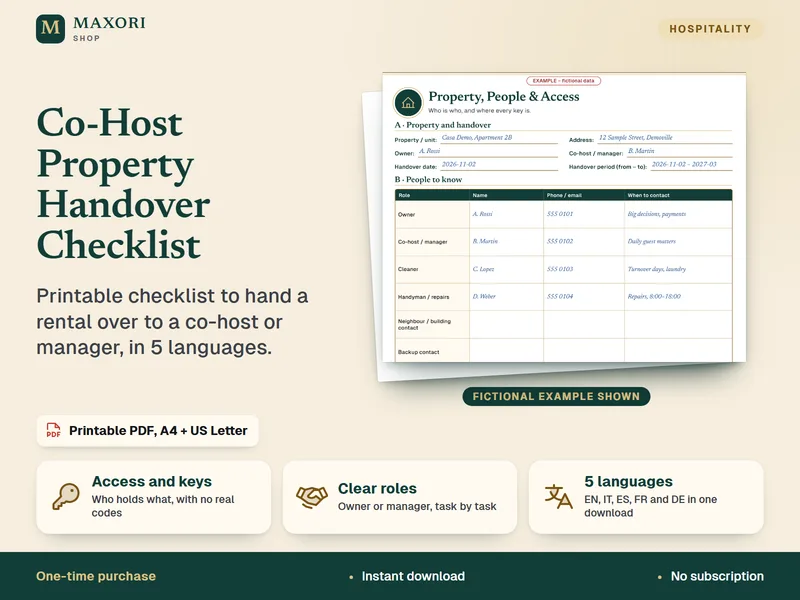
Co-Host & Property Manager Handover Checklist – Printable PDF
Printable checklist to hand a rental over to a co-host or manager, in 5 languages.
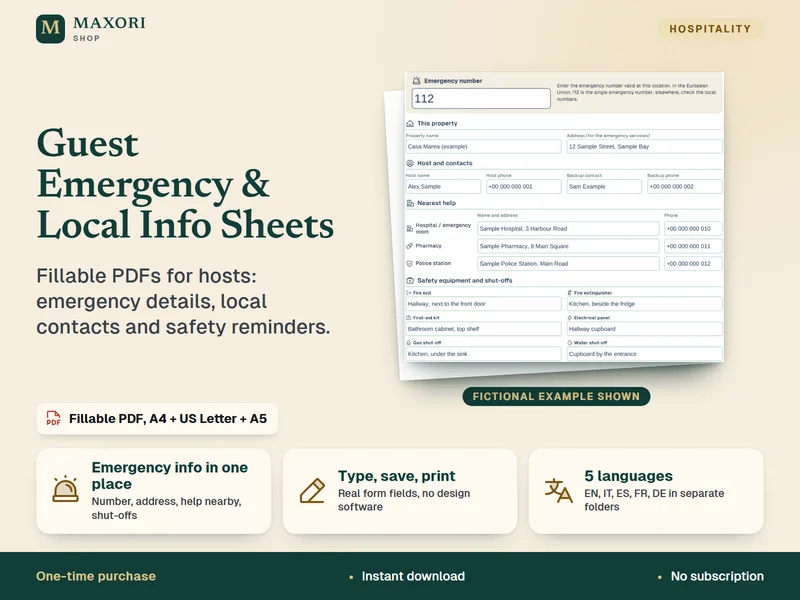
Guest Emergency & Local Information Sheets – Fillable PDF Kit
Fillable PDFs for hosts: emergency details, local contacts and safety reminders.
Smart Lock & Access Code Rotation Log (Excel, 5 languages)
€8.35