Hospitality
Seasonal Pricing for Holiday Rentals: How to Plan Next Year's Rates
By MAXORI Studio · Updated 18 October 2026 · 7 min read
Setting next year's nightly rates by feel is easy but hard to defend. This guide walks through a simple way to plan seasonal pricing: define seasons, add weekend and holiday rates, set minimum stays, then test the result against your costs and a break-even occupancy. The numbers in this guide are only illustrations; use your own. Taxes differ by place, and this is not tax or financial advice.
Start with your costs and the break-even point
Before choosing a rate, add up your fixed costs for the year and your cost per stay, such as cleaning and laundry. Break-even occupancy is the share of nights you must fill just to cover costs. If your plan needs a very high occupancy to break even, the rates, not the marketing, may be the issue.
Define seasons, weekends and special dates
Keep the structure simple enough to explain in one minute.
| Layer | What it covers | Example approach |
|---|---|---|
| Seasons | Low, shoulder, high, peak | Between 3 and 5 date ranges, each with a base rate |
| Weekday / weekend | Different demand across the week | A separate weekend rate in busy seasons |
| Holidays and events | Short periods with unusual demand | Own rate and own minimum stay |
| Minimum stay | Shorter or longer stays by period | Longer in peak, shorter in low season |
Add fees separately
A cleaning fee and an extra-guest fee are easier to explain when they are separate from the nightly rate. Decide whether you include them in the headline price, and calculate a sample stay of three and seven nights, so you can see what the guest pays in total.
Test three scenarios
Plan low, base and high occupancy for each month.
- Enter your expected occupancy per month for each scenario.
- Compute average nightly rate (ADR) and revenue per available night (RevPAR).
- Subtract costs to see net income for the month and the year.
- Compare each month with its break-even occupancy.
- Adjust a rate or a minimum stay and look at the result again.
Compare what you keep per channel
Each booking channel has its own commission, set by the platform and by your agreement. Enter the percentages you really pay and compare what is left on the same stay. Do not forget taxes, which depend on your place and are not covered in this guide.
Questions
How many seasons should I use?
Most small hosts use three to five. More seasons give precision but are harder to maintain and explain.
What is break-even occupancy?
The share of available nights you must book for revenue to equal your costs. Above it you make a profit; below it you make a loss.
Should weekends cost more?
It depends on demand where you are. Check your own bookings and enquiries before adding a weekend rate.
Do minimum stays affect revenue?
Yes. Longer minimums reduce the number of turnovers and cleaning costs but can leave gaps. Test both in your scenarios.
Ready-made tools for this
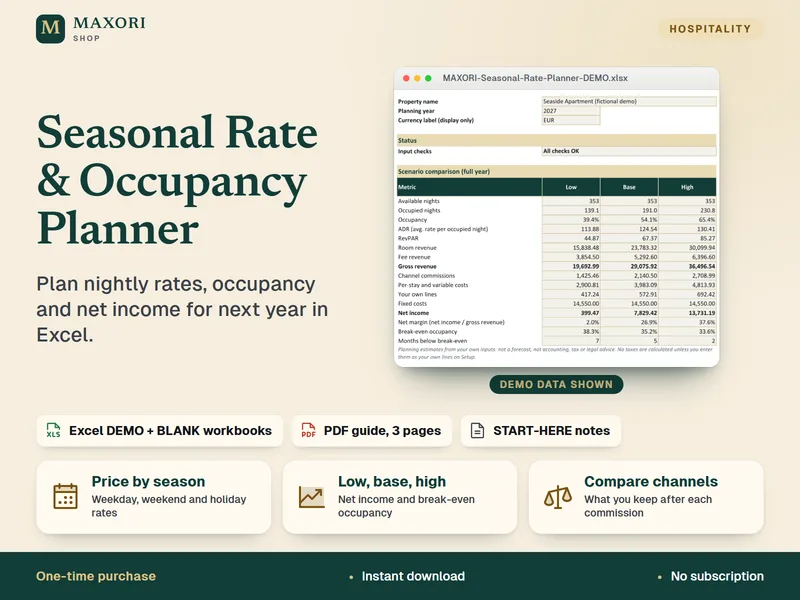
The Seasonal Rate & Occupancy Planner is an Excel workbook for up to 5 seasons and 15 special dates, with low, base and high scenarios, break-even occupancy, a stay quote and a channel comparison, plus a 3-page PDF guide, in English, Italian, Spanish, French and German. It needs desktop Excel. No tax calculations or commission rates are built in: you enter your own.