Hospitality
Multiple Property Calendar Spreadsheet: See All Your Rentals in One View
By MAXORI Studio · Updated 18 October 2026 · 5 min read
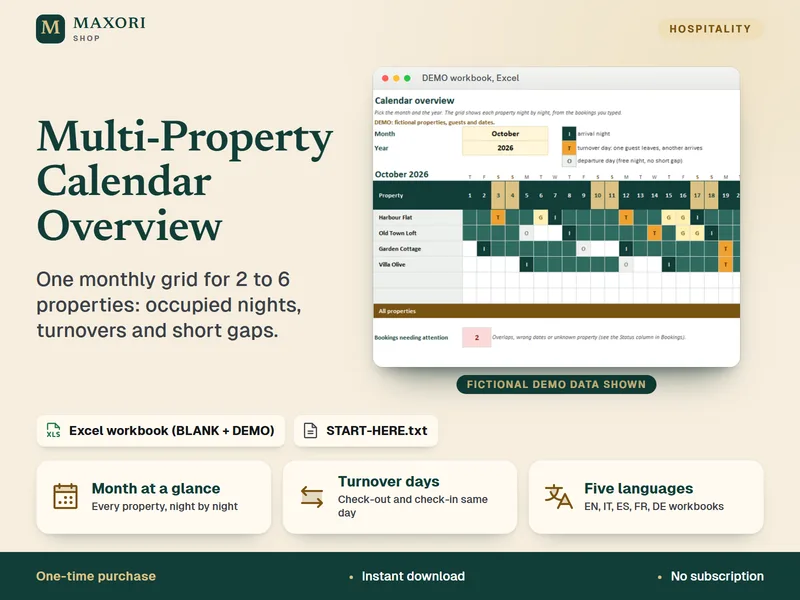
When you run two to six properties, each calendar tells only part of the story. A single monthly grid with one row per property shows at once which home is free, where two stays touch on the same day and which holes are too short to sell. This guide explains how to build that view yourself and what to look for in it.
Why one grid beats several calendars
Separate calendars answer the question 'is this property free?'. They are poor at answering 'what does my whole month look like?'. A shared grid puts every property side by side, night by night, so cleaning, handovers and quiet spells become visible before they become problems.
Set up one bookings list
Start with a single list, one row per booking, instead of one tab per property.
| Column | What to type | Why it matters |
|---|---|---|
| Property | A name from a fixed list | Avoids typos that split one property in two |
| Guest label | A short label, not full personal data | Keeps the sheet light and private |
| Check-in | Date | First occupied night |
| Check-out | Date | The morning the guest leaves; this night is free |
Read the grid: occupied nights, turnover days, gaps
Count nights from check-in up to, but not including, check-out. Then look for three patterns.
- Occupied nights per property and in total, to compare the month with your expectations.
- Turnover days: a check-out and a check-in on the same day at the same property. Plan cleaning time and key handover around them.
- Short gaps: one or two free nights between two bookings. Decide whether a minimum stay, a small discount or leaving them empty suits you.
Catch overlaps and date mistakes
Two bookings on the same night at the same property, a check-out before the check-in or a missing date will all distort the picture. Review these first each time you update the list, and fix the source calendar rather than only your sheet.
A weekly routine that keeps it reliable
A grid is only as good as the data you type, so make updating it a habit.
- Add every new booking, change or cancellation the day it happens.
- Once a week, pick the current and the next month and read the grid.
- Note turnover days and send the cleaner the list.
- Decide what to do with each short gap.
- Resolve any overlap or date warning at once.
Questions
Can a spreadsheet sync with my booking sites?
Not on its own. A simple workbook shows what you type in. If you need automatic sync you need a channel manager; a grid is for seeing the whole picture.
How many properties fit in one monthly grid?
Two to six properties stay readable on one screen. Beyond that, split the grid by area or owner.
What counts as a short gap?
Usually one or two free nights between two bookings. The limit is your choice, depending on your minimum stay and how easy it is to fill a short slot.
Does this show income?
A calendar grid shows nights and availability, not prices or profit. Track money separately.
Ready-made tools for this
The Multi-Property Calendar Overview is an Excel workbook (XLSX) for hosts with 2 to 6 properties: type each booking once, pick a month and see every property night by night, with turnover days, short gaps of 1 to 2 nights (adjustable up to 7), occupied nights, occupancy and overlap warnings. It comes as a BLANK and a DEMO workbook in five languages and needs desktop Excel. It is not a channel sync: nothing is imported from booking sites.