Work
Invoice Follow-up Tracker Spreadsheet: How to Chase Unpaid Invoices in an Orderly Way
By MAXORI Studio · Updated 17 October 2026 · 6 min read
Unpaid invoices get lost between your sent folder, your bank and your memory. A single spreadsheet that shows what is owed, how late it is and when you last reminded the client turns chasing from a worry into a routine. This guide explains which columns to keep, how to work out overdue days and reminder stages, and a short weekly habit.
One list for every invoice
Keep one register, one row per invoice, instead of relying on email searches. The goal is that you can see, in one glance, who owes what and how late it is.
- Invoice number and client.
- Issue date and due date.
- Amount, and what has been paid so far (part payments happen).
- Date of your last reminder.
- A notes column and a hold flag for invoices that are disputed or have an agreed delay.
Work out the balance and days overdue
Balance = amount minus payments received. Days overdue = today minus the due date, only when a balance remains. With these two columns you can sort the list so the oldest and largest overdue invoices come first.
Reminder stages by days overdue
A simple scheme has three stages: a friendly nudge shortly after the due date, a firmer message later, and a final one. The day counts are yours to choose, for example day 1, day 15 and day 30. They are prompts for you, not legal deadlines.
Add a minimum gap between reminders, so that you do not write to the same client twice in a few days, and a next reminder date that respects it.
A weekly follow-up habit
Fix one slot a week, for example Monday morning.
- Update payments received since last week.
- Filter the invoices that are overdue and not on hold.
- Send the reminder that fits each stage.
- Write the date you sent it in the last reminder column.
- Note any promise to pay, with the date, and check it next week.
What a spreadsheet does not do
A tracker shows you where you stand; it does not write the message, collect the money or advise you on a dispute. Late-payment interest, fees and collection steps depend on your contract and your local rules, so check them or ask a professional. This guide is general information, not legal or tax advice.
Questions
What columns does an invoice follow-up spreadsheet need?
Invoice number, client, issue and due date, amount, payments received, last reminder date and notes. From these you can work out the balance, the days overdue and the next reminder.
When should I send the first reminder?
It is your choice. Many freelancers send a friendly note a day or a few days after the due date. Pick day counts that match how you work with your clients.
How often should I remind a client?
Leave a minimum gap between messages, such as a week or two, and escalate the tone only as the days overdue grow.
Can a spreadsheet collect the debt for me?
No. It helps you keep track and stay consistent. What you can charge or do about a late invoice depends on your contract and local rules.
Ready-made tools for this
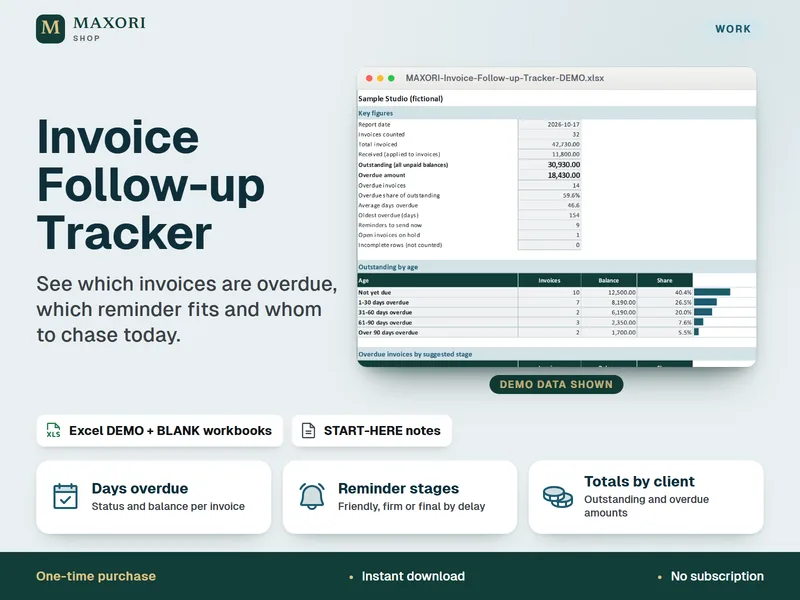
The Invoice Follow-up Tracker is an Excel workbook for freelancers and small businesses: an invoice register that works out the balance, days overdue and status, suggests a reminder stage and a next reminder date, lists whom to chase now and shows a dashboard of outstanding and overdue totals, with DEMO and BLANK files in five languages. It tracks only: it does not create invoices, write or send messages, or give legal advice. It was tested in desktop Excel for Windows only.