Hospitality
Airbnb Pricing Calendar Spreadsheet: How to Plan Nightly Prices and Minimum Stays
By MAXORI Studio · Updated 14 October 2026 · 6 min read
A pricing calendar spreadsheet gives every date of the year its own nightly price and minimum stay, based on rules you decide once. This guide shows the building blocks: a base rate, periods, events, weekday rules and a last-minute discount, and how to combine them so event weekends and holidays are never priced by accident.
Why price by date instead of one flat rate
Demand is not the same every night. A local festival weekend, school holidays and a quiet Tuesday in winter are very different products, yet many hosts keep one number and adjust it by hand when they remember.
A calendar with written rules makes pricing consistent. You decide the logic once, then the sheet applies it to all 365 dates, so nothing depends on memory or on a last-minute guess.
Start with a base rate
The base rate is the nightly price you would charge on an ordinary night, before any season, event or weekday effect. Choose it from your own costs, your own history and what comparable places near you charge, and write it in one cell.
Every other price in the calendar is the base rate multiplied by a factor. A factor of 1.00 leaves the price unchanged, 1.25 adds a quarter and 0.85 gives a discount. Keeping prices as multipliers makes it easy to change the base rate later without redoing everything.
Add periods, events and holidays
Periods are longer stretches such as high season, shoulder season and low season. Events are shorter: a local fair, a sports weekend, a public holiday or a bridge day. For each one write a start date, an end date and a multiplier.
Decide what happens when an event falls inside a period. Either the two multipliers stack, or the event replaces the period. Write the rule down, because it changes the result noticeably on the busiest weekends.
- Name each period and event so you recognise it next year
- Give every one a start date, an end date and a multiplier
- Add a minimum stay where a short booking would leave a gap
- Review the list every year, because event dates move
Weekday rules and minimum stays
Friday and Saturday often behave differently from Tuesday. A weekday rule gives each check-in day its own multiplier and its own minimum stay. A two-night minimum on a weekend check-in, for example, avoids one-night bookings that split a good weekend.
Minimum stays also protect against orphan nights, single free nights between two bookings. Use them with care: a rule that is too strict can leave dates empty, so watch how your calendar actually fills and adjust.
| Rule | What it controls | Typical use |
|---|---|---|
| Base rate | Price of an ordinary night | One number you update rarely |
| Period multiplier | Season level | High, shoulder and low season |
| Event multiplier | Short peaks | Fairs, holidays, local weekends |
| Weekday rule | Check-in day | Weekend price and minimum stay |
| Last-minute discount | Nights close to today | Fill dates that are still empty |
Last-minute discounts, limits and rounding
If a date is still free a few days before arrival, a small discount may help fill it. Use steps, for example one level inside two weeks and a deeper one inside three days, and decide beforehand how far you are willing to go.
Add a lowest and a highest price so no combination of multipliers produces a number you would not accept, and round the result to a clean figure such as the nearest whole currency unit. Prices in the calendar are the amount you decide to charge: taxes, platform fees and local charges are handled separately.
Check the result before you publish prices
Print or view the year as a calendar and look at it as a guest would. Do the event weekends stand out? Is the step between seasons reasonable? Does a normal week look calm?
Then test a few sample stays night by night, including the total and the minimum stay at check-in. Copy the prices into your listings only when the picture matches what you intend, and compare the plan with real bookings after a few months. A spreadsheet shows what your own rules imply, not what guests will pay.
Questions
How do I choose the right base rate?
Start from your own costs and the minimum you need per night, then compare with similar places nearby. Treat the result as a starting point and adjust after you see real booking behaviour.
Should events replace or stack on top of seasons?
Either can work. Stacking suits events that add demand on top of a busy season, while replacing keeps the price predictable. Choose one rule and apply it consistently.
Does a spreadsheet update my listing automatically?
No, a spreadsheet is a planning tool. You copy the prices into your listing or channel manager yourself, unless you use separate software that connects to it.
How many minimum-stay rules are too many?
Keep them few and clear, for example one for weekends and one for peak events. Many overlapping rules are hard to explain to guests and easy to get wrong.
Ready-made tools for this
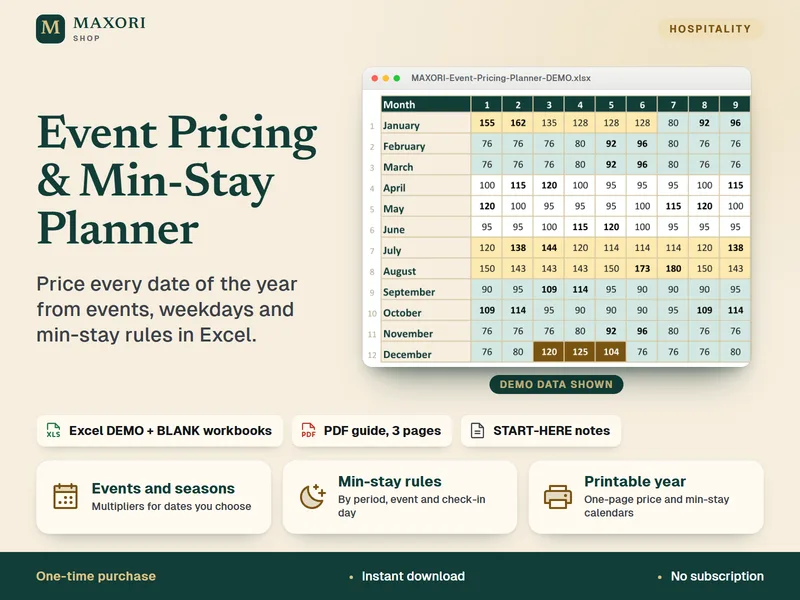
The Dynamic Pricing Event Calendar & Min-Stay Planner is an Excel workbook (XLSX) that does this date by date: base rate, periods, events, weekday rules, minimum stays, last-minute discounts, printable year calendars, a monthly revenue estimate and a single-stay checker. It needs desktop Excel, includes no tax calculations, is not connected to any booking platform and comes as a fictional DEMO and an empty BLANK in five languages.