 1 / 9
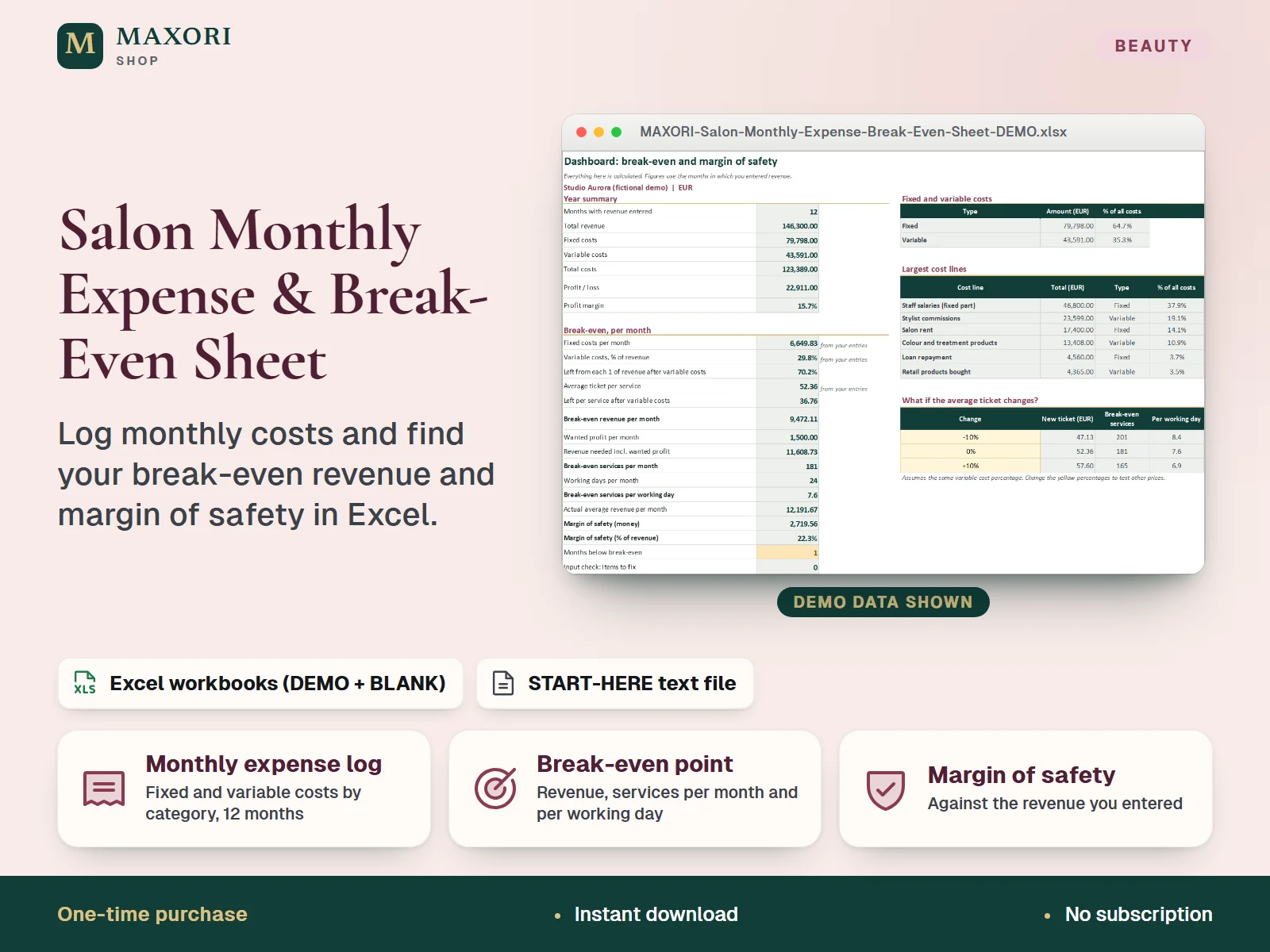
1 / 9An Excel (XLSX) workbook for salon, barbershop and beauty studio owners. Log fixed costs (rent, utilities, insurance, software, loan) and variable costs (products, card fees, commissions) by category for 12 months, enter monthly revenue, and read profit or loss for every month. The workbook works out your break-even revenue, the number of average-ticket services you need per month and per working day, and your margin of safety against the revenue you actually entered. Each language comes as a fictional DEMO and an empty BLANK workbook, in English, Italian, Spanish, French and German.
The problem it solves
Rent, products, card fees and commissions are paid from the same account, so it is hard to tell how much the salon has to take before it makes any profit, and whether a quiet month is a real loss.
Who it is for
Owners of salons, barbershops, nail and beauty studios who want to know what they must earn each month to cover their costs, and how far above that line they really are.
What you get
- A monthly expense log: up to 25 cost lines by category, 12 months, each line marked Fixed or Variable
- Profit or loss for every month, with profit margin and cumulative profit
- Break-even revenue per month, plus the revenue needed to reach the monthly profit you want
- Break-even in services: how many average-ticket services you need per month and per working day
- Margin of safety in money and percent against the revenue you entered, and a count of months below break-even
- Plan before you have history: type your own fixed costs, variable cost percentage and average ticket in Setup, and test an average ticket change of your own
How you use it
- Download and extract the ZIP, open your language folder and the DEMO workbook to see how it works.
- Open the BLANK workbook, save a working copy and fill Setup: business name, currency label, first month, working days per month and, if you like, the profit you want each month.
- In Expenses, add one row per cost line, choose Fixed or Variable and type the amount for each month.
- In Monthly Results, type the revenue for each month and, if you like, the number of services.
- Read the Dashboard for break-even revenue, services per month and per working day, margin of safety and the largest cost lines, and fix anything shown by the input check.
Questions
Is this accounting software?
No. It is a downloadable Excel workbook that you fill in by hand. It does not connect to a bank, a till or booking software, and it does not calculate tax.
What is break-even here?
It is the monthly revenue at which your fixed costs plus your variable costs are exactly covered: fixed costs per month divided by what is left of each unit of revenue after variable costs. The Dashboard also shows it as a number of services at your average ticket, per month and per working day.
I have no history yet. Can I still use it?
Yes. In Setup you can type your own fixed costs per month, variable costs as a percentage of revenue and average ticket. The Dashboard then uses those figures instead of your entries.
What is the difference between DEMO and BLANK?
The DEMO workbook holds a fictional salon with 14 cost lines and a year of revenue so you can see every sheet working. The BLANK workbook is the same file, empty and ready for your own figures.
How is it different from the Treatment Time & Pricing Calculator and the Commission & Chair Rent Calculator?
Those price a single treatment and work out commission or chair rent. This workbook looks at the whole salon: all monthly costs, the monthly result and the revenue you need to reach break-even.
What is included
- 5 language folders: English, Italian, Spanish, French, German
- In each folder: a DEMO workbook with a fictional salon (14 cost lines, 12 months) and an empty BLANK workbook
- Five sheets in every workbook: Start Here, Dashboard, Expenses, Monthly Results and Setup
- START-HERE.txt in all five languages
Requirements
Desktop Microsoft Excel (not included). The formulas were recalculated in desktop Excel with 0 errors. Google Sheets, Excel for Mac and phone apps were not tested.
Version 1.0
Good to know
- Capacity: 25 cost lines and a 12-month view; do not enter beyond it.
- Break-even assumes your costs and average ticket stay as entered; real months vary. It is a planning figure, not a forecast.
- You decide for each line whether it is Fixed or Variable. Variable costs are measured as a share of the revenue you enter.
- Averages use only the months in which you entered revenue. Costs in months without revenue are shown but not averaged.
- No tax or VAT is calculated: enter all amounts the same way, all with or all without VAT. It is a planning tool, not tax, legal or accounting advice.
- Manual entry only: no link to a till, bank or booking system. One currency label, no exchange rates. No industry benchmarks are included.
- Yellow cells are inputs; grey-green cells are formulas and sheets are protected without a password. Translations were not reviewed by native speakers. For your own business use, no resale or redistribution.
This is a downloadable digital product, not online software. It does not need an account and is not part of the MAXORI Software subscriptions.
Works well with
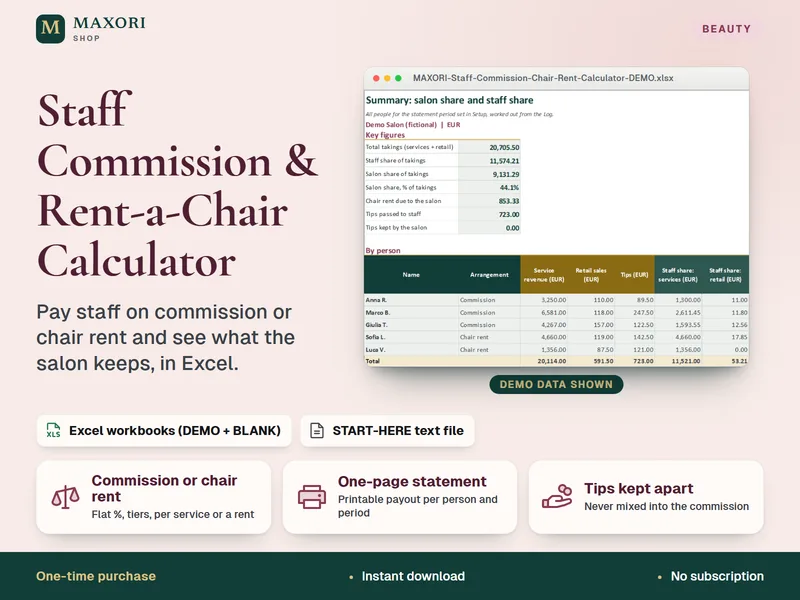
Staff Commission & Rent-a-Chair Calculator – Excel Payout Statements for Salons
Pay staff on commission or chair rent and see what the salon keeps, in Excel.
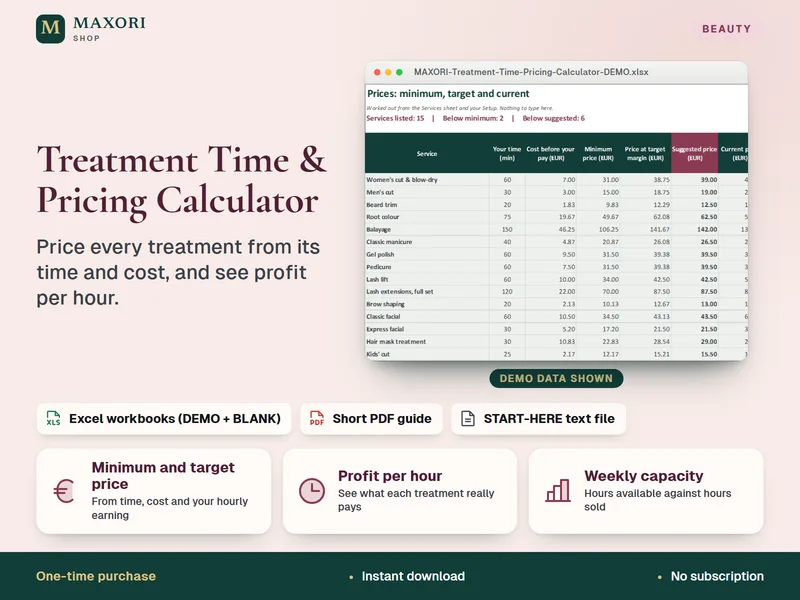
Treatment Time & Pricing Calculator – Excel Service Pricing for Salons and Beauty Pros
Price every treatment from its time and cost, and see profit per hour, in Excel.
Salon Monthly Expense & Break-Even Sheet – Excel Cost Tracker for Salons and Barbers
€9.90