 1 / 10
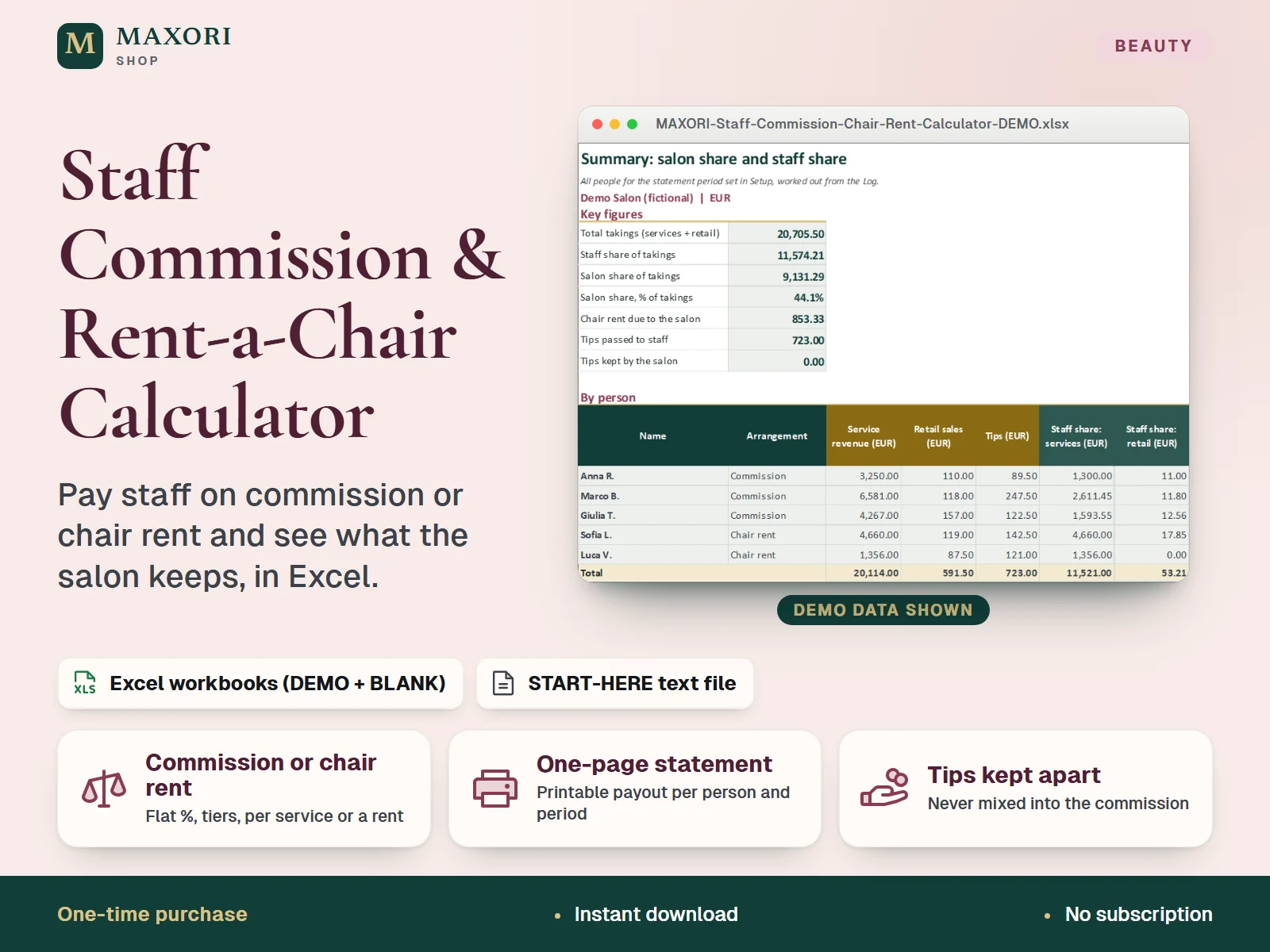
An Excel (XLSX) workbook for salons, barbershops and beauty studios that pay people on commission or rent them a chair. Log each service, retail sale and tip, set each person's terms (flat %, revenue tiers or your own rate per service, plus a retail share, or a chair rent per week or month), and get a printable one-page payout statement per person, a salon-versus-staff summary and a commission-versus-chair-rent comparison with the break-even rent. Each language comes as a fictional DEMO and an empty BLANK workbook, in English, Italian, Spanish, French and German.
The problem it solves
Commissions, tiers, retail shares and chair rent end up in notebooks and half-finished spreadsheets, so every payout is recalculated by hand and nobody can see clearly what the salon and each person really keep.
Who it is for
Salon owners and managers who pay stylists, barbers or therapists on commission, rent out chairs, or are deciding between the two, and want every statement worked out the same way.
What you get
- Per person: commission with a flat %, revenue tiers or your own rate per service, or a chair rent per week or month
- Tips are logged in their own column and never enter the commission; you choose what share passes to staff
- One-page payout statement per person for a weekly or monthly period, with the tier breakdown, service breakdown and balance
- Summary of salon share against staff share for everyone, with chair rent due
- Compare commission with chair rent for one person on real takings, with the break-even rent
- Entry checks flag duplicate names, unknown staff, missing types and services not in your menu
How you use it
- Download and extract the ZIP, open your language folder and the DEMO workbook to see how it works.
- Open the BLANK workbook, save a working copy and fill Setup: business name, currency label, weekly or monthly period and its start date, and optional tiers and service menu.
- In Staff, add one row per person: commission or chair rent, the commission basis and percentages, or the rent amount.
- Enter each service, retail sale and tip in the Log with its date and person.
- Choose a person in Statement to print the payout statement, and read Summary and Compare for the salon-versus-staff picture.
Questions
Is this payroll software?
No. It is a downloadable Excel workbook that calculates commission and chair-rent amounts from the entries you make. It does not produce payslips or tax filings and gives no employment, tax or legal advice.
Can I mix commission and chair rent in one salon?
Yes. Each person has their own row in Staff, so some can be on commission (flat %, tiers or per service) and others on a chair rent, and the Summary adds them all up.
How are tips handled?
Tips are entered in their own column of the Log and are never part of the commission. In Setup you set the share of tips passed to staff; the rest is shown as kept by the salon.
What is the difference between DEMO and BLANK?
The DEMO workbook holds a fictional salon with five people so you can see every sheet working. The BLANK workbook is the same file, empty and ready for your own team.
How is it different from Team Hours & Timesheet or the Salon Profit & Performance Tracker?
Those follow worked hours, and salon revenue, expenses and profit. This workbook is only about what each person earns from their takings, by commission or chair rent, and what the salon keeps.
What is included
- 5 language folders: English, Italian, Spanish, French, German
- In each folder: a DEMO workbook with a fictional salon (5 people, about 6 weeks of entries) and an empty BLANK workbook
- Seven sheets in every workbook: Start Here, Setup, Staff, Log, Statement, Summary and Compare
- START-HERE.txt in all five languages
Requirements
Desktop Microsoft Excel (not included). The formulas were recalculated in desktop Excel with 0 errors. Google Sheets, Excel for Mac and phone apps were not tested.
Version 1.0
Good to know
- Not payroll software and not employment, tax or legal advice: rules on self-employment, chair rental, commission and tax differ by country, so check yours with a qualified professional.
- Commission is calculated on the amounts you enter, on the basis you choose (for example without VAT); the workbook does not deduct VAT, card fees or product costs for you.
- Capacity: 20 people, 1,500 log rows, 5 tiers and 20 services; do not insert or delete rows.
- A weekly rent on a monthly statement is multiplied by 52/12 and a monthly rent on a weekly statement by 12/52; this is a simple conversion, not a calendar proration.
- Manual entry only: no connection to a till, booking system or bank. One currency label, no exchange rates.
- Yellow cells are inputs; grey-green cells are formulas and sheets are protected without a password.
- Translations were not reviewed by native speakers. For your own business use, no resale or redistribution.
This is a downloadable digital product, not online software. It does not need an account and is not part of the MAXORI Software subscriptions.
Works well with
Staff Commission & Rent-a-Chair Calculator – Excel Payout Statements for Salons
€9.90