 1 / 9
1 / 9Preview inside
Browse the real pages of this product, page by page, before you buy.
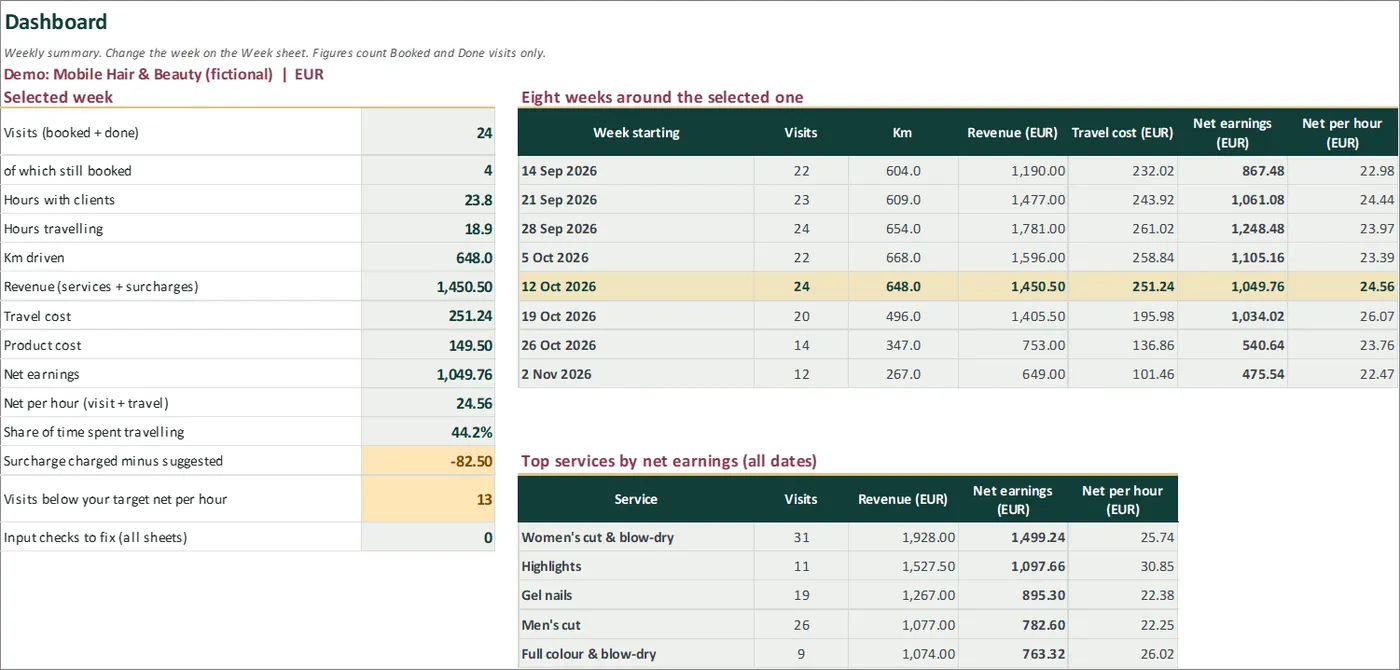
Real screens of the product with fictional example data. The file you download is editable or printable as described above.
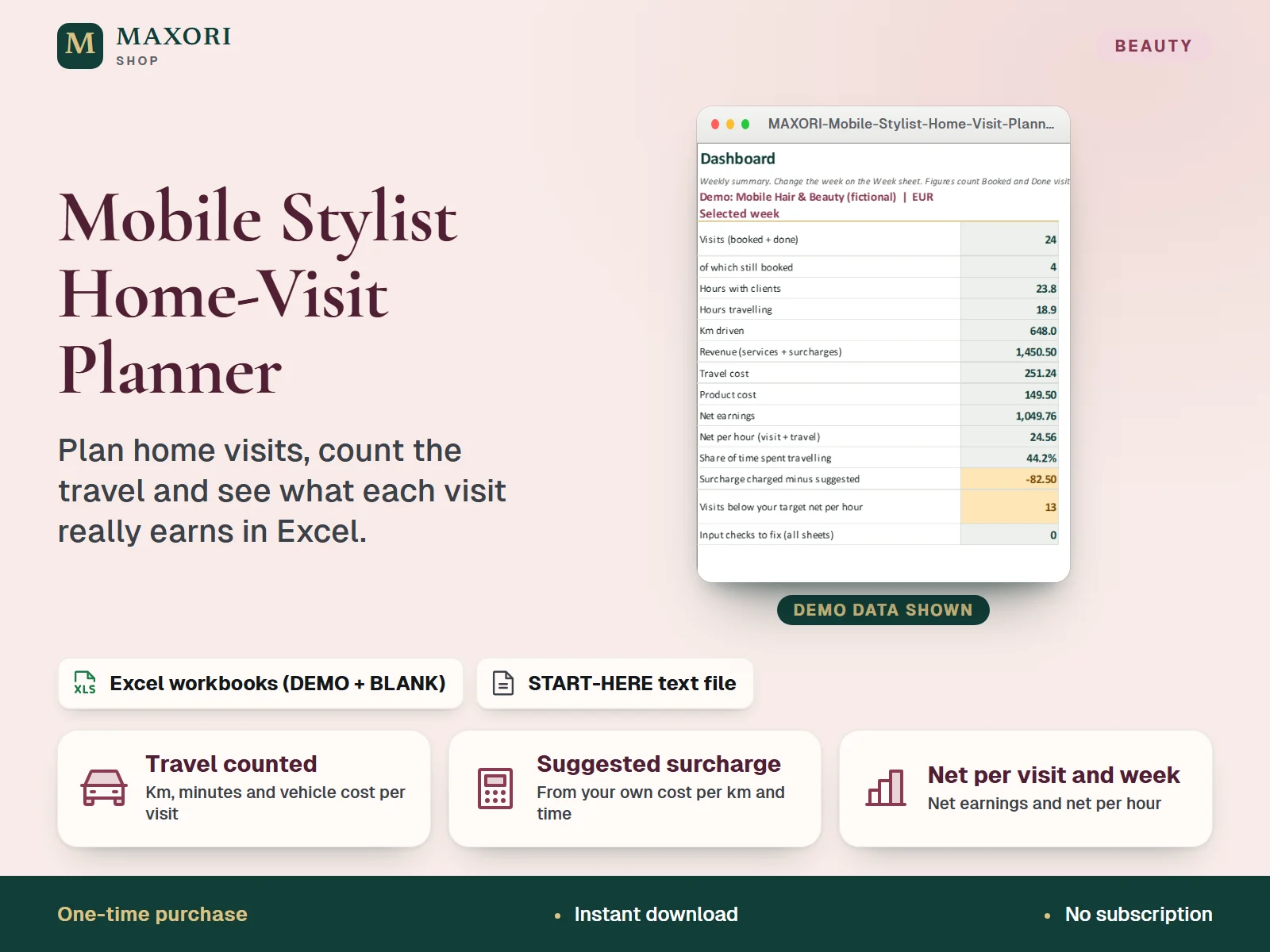
An Excel (XLSX) workbook for mobile hairdressers, beauticians, nail techs and barbers who work at the client's home. For every appointment you enter the date, start time, a short client label, the service, and the travel minutes and km for the whole trip, which you look up yourself. The workbook adds your vehicle cost per km and any parking or tolls, suggests a travel surcharge from your own assumptions, and shows net earnings and net earnings per hour (visit plus travel) for each visit, each day and each week. It also gives a day agenda, an eight-week overview and a service ranking. Each language comes as a fictional DEMO and an empty BLANK workbook in English, Italian, Spanish, French and German.
The problem it solves
A cheap cut forty minutes away can earn less per hour than a quick one next door, but the drive disappears from the price. Travel surcharges are guessed, and nobody sees the real cost of petrol and time until the week is over.
Who it is for
Mobile hairdressers, beauticians, nail and brow artists and barbers who travel to clients and want to know whether their travel is paid for, and which visits are worth the drive.
What you get
- Net earnings and net per hour for every visit, counting the service price, product cost, vehicle cost and travel time
- A suggested travel surcharge from your own cost per km, km included in the price, extra costs and the value you give your travel time, rounded to the step you choose
- A comparison of the surcharge you charged with the one suggested, per day and per week
- A week view with visits, hours with clients, hours travelling, km, revenue and net per day, plus an agenda for any day sorted by time
- Warnings for overlapping visits and for missing date, time, price, duration or travel entries
- Eight weeks around the selected week and a ranking of services by net earnings, with an optional target net per hour
How you use it
- Download and extract the ZIP, open your language folder and the DEMO workbook to see how it works.
- Open the BLANK workbook, save a working copy and fill Setup: vehicle cost per km, the value of an hour of travel time, km included in the price, a rounding step and an optional target net per hour.
- In Services list what you offer with default minutes, price and product cost per visit.
- In Visits add one row per appointment: date, start time, client label, service, and the travel minutes and km for the whole trip there and back, looked up by you in any map app. Set the status: Booked, Done, Cancelled or No-show.
- On the Week sheet pick a week and a day, then read the Dashboard and fix anything shown in the Input check column.
Questions
Does it work out the route or the km for me?
No. You look up the travel time and distance in any map app and type them in. The workbook does not connect to maps or GPS.
How is the suggested travel surcharge worked out?
From the km above the km included in your price times your cost per km, plus parking or tolls, plus the travel time at the hourly value you set, rounded up to your step. Every number is yours; the result is a suggestion, and you type the surcharge you actually charge.
What is the difference between DEMO and BLANK?
The DEMO workbook holds a fictional mobile stylist with 172 visits so you can see every sheet working. The BLANK workbook is the same file, empty and ready for your own services and visits.
How is it different from the Treatment Time & Pricing Calculator and the Client and Booking Desk?
The Treatment Time & Pricing Calculator prices a treatment from its time and cost. The Client and Booking Desk is an offline app for clients, bookings and deposits. This workbook plans home visits and shows what the travel costs and what each visit and week earns.
What is included
- 5 language folders: English, Italian, Spanish, French, German
- In each folder: a DEMO workbook with a fictional mobile stylist (12 services, 172 visits over eight weeks) and an empty BLANK workbook
- Six sheets in every workbook: Start Here, Dashboard, Week, Visits, Services and Setup
- START-HERE.txt in all five languages
Requirements
Desktop Microsoft Excel (not included). The formulas were recalculated in desktop Excel with 0 errors. Google Sheets, Excel for Mac and phone apps were not tested.
Version 1.0
Good to know
- Travel minutes and km are typed by hand. There is no map, GPS or route connection and nothing is looked up online.
- Vehicle cost per km is your own estimate. It is not an official mileage allowance, and the workbook is not tax, legal or accounting advice and not accounting software.
- The suggested surcharge is a calculation from your assumptions, not a price clients will accept. Net earnings are before tax, VAT, insurance, equipment and your own wage.
- Enter the whole trip there and back. If one trip serves two clients, you split the minutes and km yourself.
- Capacity: 400 visits and 30 services. Do not insert or delete rows. One currency label, no exchange rates; enter prices and costs consistently with or without VAT.
- Yellow cells are inputs; grey-green cells are formulas and sheets are protected without a password. Demo figures are invented examples, not market prices.
- Translations were not reviewed by native speakers. For your own business use, no resale or redistribution.
This is a downloadable digital product, not online software. It does not need an account and is not part of the MAXORI Software subscriptions.
Works well with
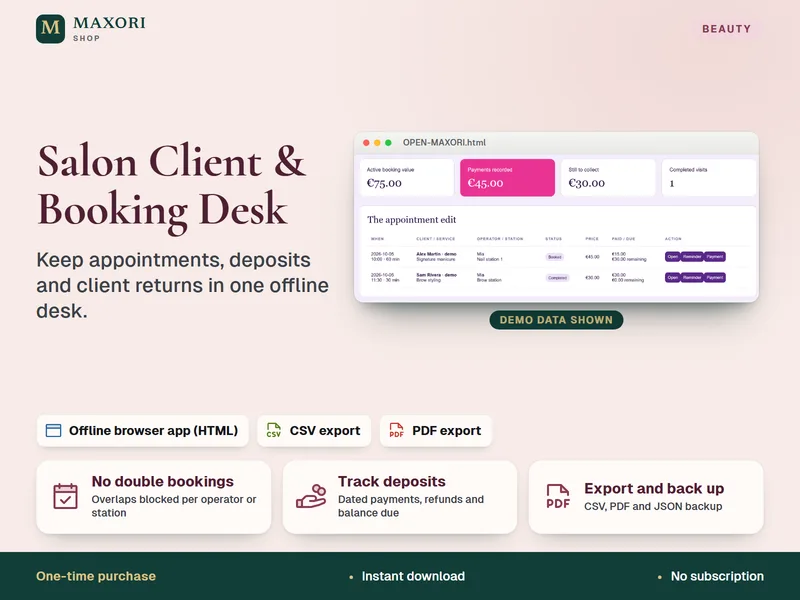
Salon Client and Booking Desk – Appointment and Deposit Tracker
Keep appointments, deposits and client returns in one offline desk.
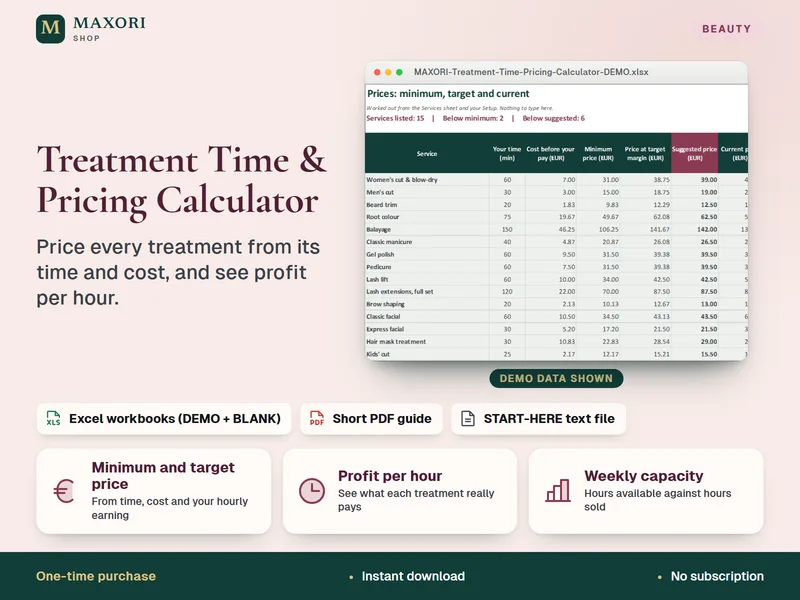
Treatment Time & Pricing Calculator – Excel Service Pricing for Salons and Beauty Pros
Price every treatment from its time and cost, and see profit per hour, in Excel.
Mobile Stylist Home-Visit Planner – Excel Travel, Surcharge & Earnings Planner
€9.90