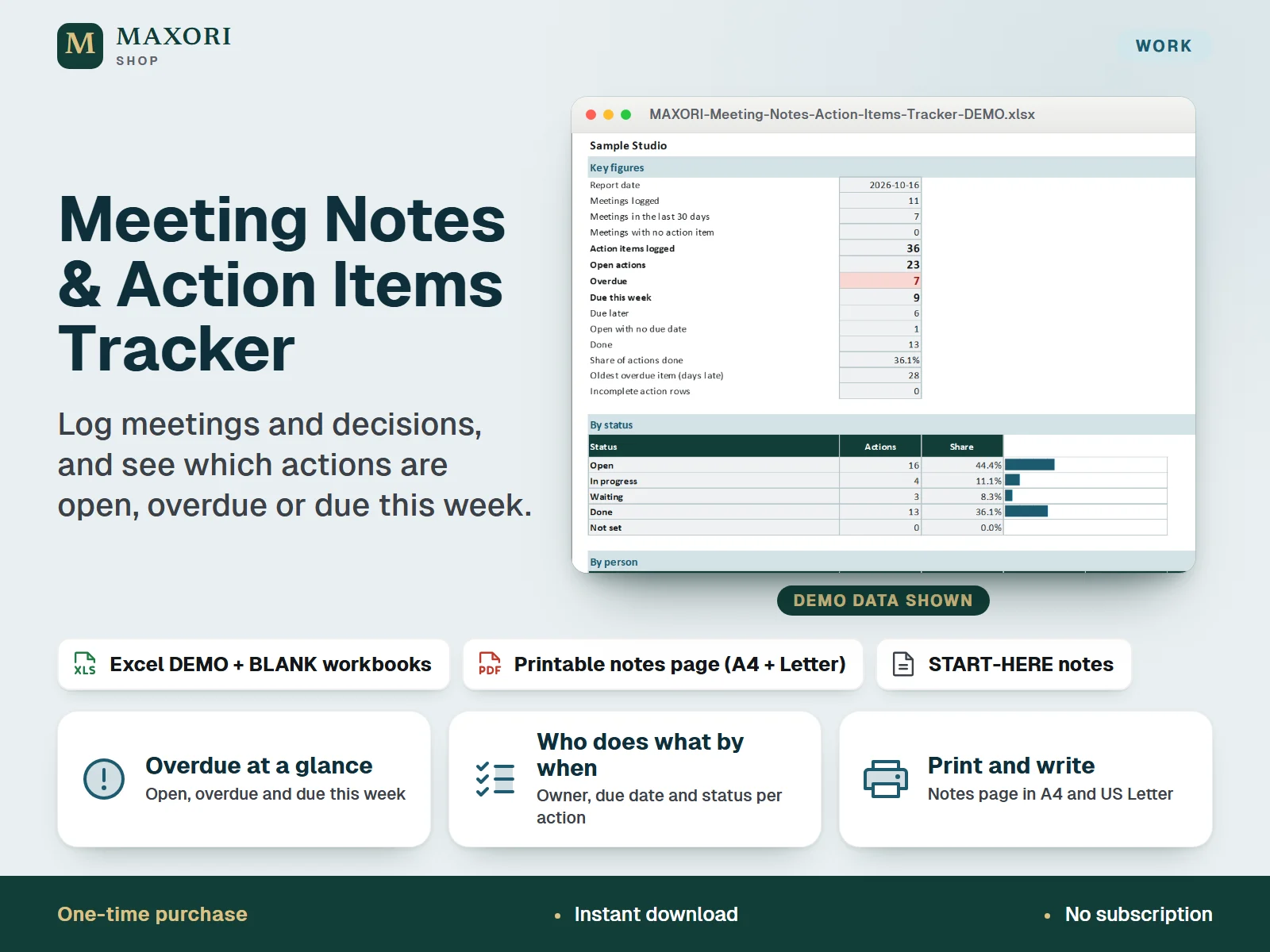
 1 / 10
Preview inside
Browse the real pages of this product, page by page, before you buy.
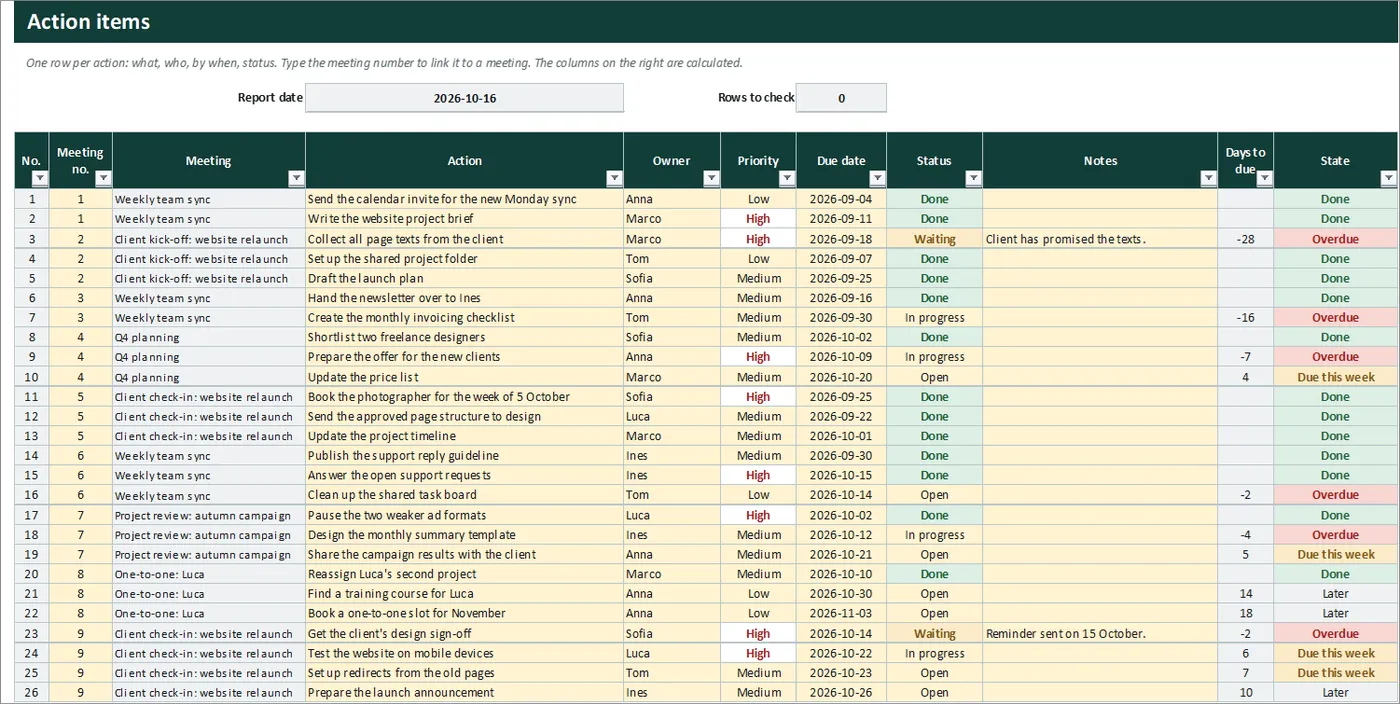
Real screens of the product with fictional example data. The file you download is editable or printable as described above.
An Excel (XLSX) workbook for freelancers and small teams that turns meeting notes into follow-through. On one sheet you log each meeting: date, title, type, who was there (a simple label) and the decisions. On another you list every action item with its owner, priority, due date and status, and link it to its meeting by number. The workbook works out which actions are overdue and which are due this week, builds sorted Overdue, Due this week and All open lists, and shows a dashboard with totals, a split by status, person, priority and meeting type, and your latest meetings. A printable meeting-notes page (A4 and US Letter, PDF) is included for taking notes on paper. One download holds five complete language editions, each with a fictional DEMO and an empty BLANK workbook.
The problem it solves
Decisions and to-dos end up in notebooks, chat threads and half-remembered conversations. A week later nobody is sure what was agreed, who owns which task or what is already late, and the same topics come back to the next meeting.
Who it is for
Freelancers, consultants, small agencies and small teams who hold regular client or team meetings and want a simple record of what was decided and who has to do what by when.
What you get
- A meetings log with date, title, type, an attendees label and the decisions, up to 120 meetings per workbook
- An action list with owner, priority, due date and status, linked to the meeting it came from by meeting number, up to 300 items
- Each action is classified for you: Done, Overdue, Due this week, Later or No due date, based on a report date and a look-ahead you set
- Three ready-made, sorted views: overdue, due this week and all open actions, each with the days to go or days late
- Dashboard with open, overdue and done totals, share completed, the oldest overdue item, and splits by status, person, priority and meeting type
- A printable meeting-notes page in A4 and US Letter: agenda, notes, decisions and an action table, plus a filled fictional example page
- Five full language editions in one purchase (EN, IT, ES, FR, DE), each with a DEMO and a BLANK workbook
How you use it
- Download and unzip the file, then open the folder of the language you want.
- Open the DEMO workbook in desktop Excel and look at Meetings, Actions, Views and Dashboard.
- Keep the BLANK as a master, save a working copy, and on Setup enter the team or project name, the people who own actions and your meeting types.
- After each meeting add a row on Meetings, then one row per action item on Actions: what, owner, priority, due date and status, with the meeting number to link it.
- Open Views for the overdue and due-this-week lists and Dashboard for the totals. Print the PDF page if you prefer to take notes on paper, then copy the actions into the workbook.
Questions
How does it decide what is overdue or due this week?
It compares each open action's due date with the report date. Before the report date means Overdue. On the report date or within the look-ahead days after it (7 by default, set on Setup) means Due this week. Leave the report date empty and it uses today.
Does it send reminders or sync with a calendar?
No. There are no reminders, notifications, calendar connections or cloud sync. The overdue and due-this-week lists update when you open or edit the file.
How do I link an action to a meeting?
Each meeting has a number in the first column of Meetings. Type that number in the Meeting no. cell of the action. The meeting title then appears next to it, and the meeting row counts its actions.
Can I use the printable page without Excel?
Yes. The notes page is a PDF in A4 and in US Letter with a blank first page you can print as often as you like and a second page with a filled fictional example. Copy the actions into the workbook afterwards if you want the views and dashboard.
Which languages are included?
English, Italian, Spanish, French and German. Each language folder has its own DEMO workbook, BLANK workbook, printable PDF pages and START-HERE.txt; the figures are the same in every language.
Does it work in Google Sheets or on a Mac?
It was built and recalculated in desktop Microsoft Excel for Windows. Google Sheets, Excel for the web, Mac and mobile have not been verified.
What is included
- One ZIP with five folders: EN, IT, ES, FR and DE
- In each folder: a DEMO workbook (a fictional small studio with 11 meetings and 36 action items), an empty BLANK workbook, the printable meeting-notes page as PDF in A4 and in US Letter, and a START-HERE.txt, all in that language
- Six sheets per workbook: Start, Setup, Meetings, Actions, Views and Dashboard
- A START-HERE.txt in the root of the ZIP; 26 files in total
Requirements
Desktop Microsoft Excel (not included) and any PDF viewer or printer for the notes page. XLSX files with formulas, drop-down lists, input validation and sheet protection, no macros. Tested by recalculation in installed desktop Excel for Windows. Google Sheets, Excel for the web, Mac, mobile and older Excel versions have not been verified and are not promised.
Version 1.0
Good to know
- No cloud sync, no shared online board, no reminders and no notifications. Nothing is sent to anyone; overdue and due-this-week items only show in the sheets when you open the file. Sharing means passing the file around like any workbook.
- Overdue and due this week depend on the report date and on the due dates you type. An action with no due date is never overdue, and only the status Done closes an action.
- Up to 120 meetings and 300 action items per workbook, up to 12 people and 8 meeting types. The views list the first 30 overdue, the first 30 due this week and the first 60 open items; use the filters on Actions for the rest.
- The attendees field is a simple text label, not a contact list. The workbook does not read calendars, e-mail or chat and does not record or transcribe meetings.
- It is a note-keeping and follow-up aid, not project management software and not a tool for official, legal or regulated minutes. Check what your organisation or local rules require for formal records.
- Formula sheets are protected without a password to prevent accidental overwrites; only the cream cells are meant to be edited. Filters work, sorting is blocked while protected, and some helper columns are hidden. The demo data and names are fictional.
- A one-time digital download for your own use, not the MAXORI online software; no resale or redistribution. Translations are not native-reviewed.
This is a downloadable digital product, not online software. It does not need an account and is not part of the MAXORI Software subscriptions.
Works well with
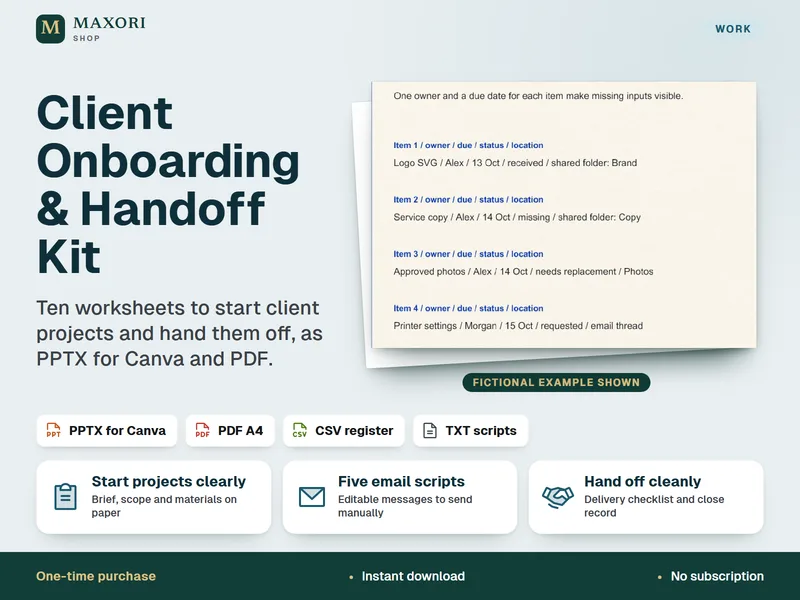
Client Onboarding & Handoff Kit – 10 Worksheets for Canva and PDF
Start client projects clearly and hand them off cleanly.
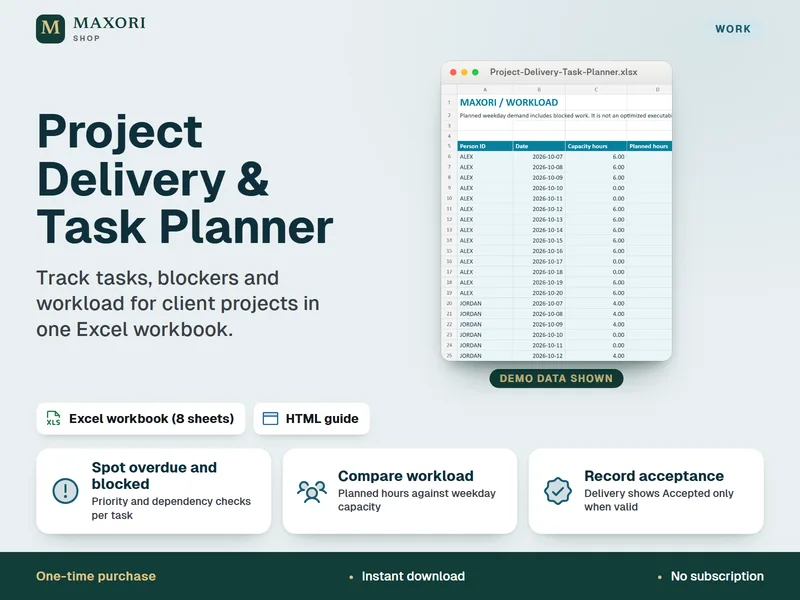
Project Delivery & Task Planner for Excel – Tasks, Blockers and Workload
See overdue tasks, blockers and workload for client projects in one Excel workbook.
Meeting Notes & Action Items Tracker – Excel Workbook and Printable Notes Page
€9.90