 1 / 10
Preview inside
Browse the real pages of this product, page by page, before you buy.
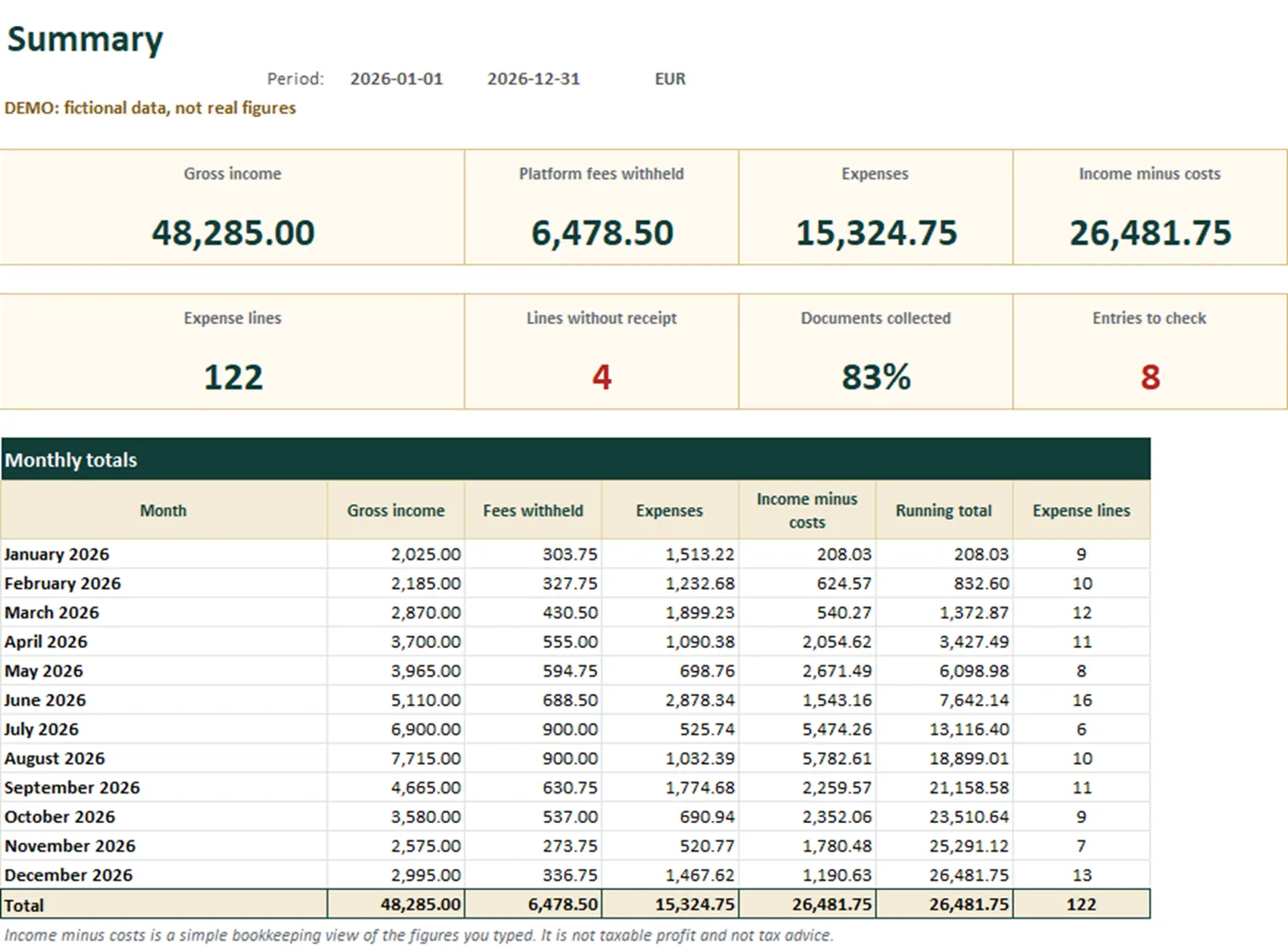
Real screens of the product with fictional example data. The file you download is editable or printable as described above.
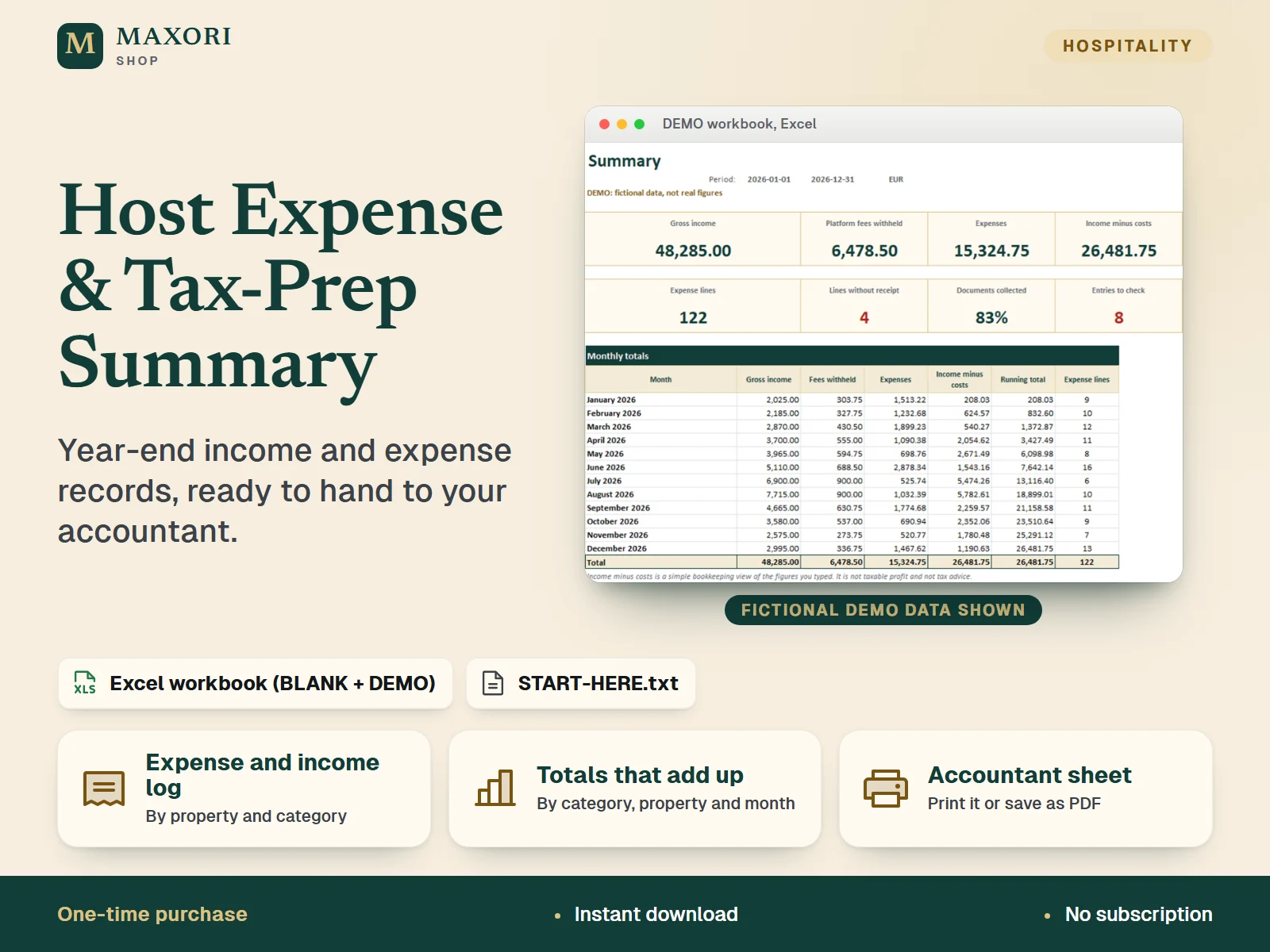
An Excel workbook (XLSX) for short-term rental hosts, B&B and guesthouse owners: log your income and expenses by property and category, and the workbook totals them by category, by property and by month, compares income with expenses, flags missing receipts, possible duplicates and entries outside your 12-month period, tracks a checklist of documents to collect, and prints a clear Accountant sheet to hand over. It is a record-keeping tool: it applies no tax rules and gives no tax advice. A BLANK workbook and a DEMO workbook with fictional data are included in English, Italian, Spanish, French and German.
The problem it solves
At year end, receipts, payout statements and bank lines are scattered. Nobody knows which expenses belong to which property, what is still missing, or how to present it all in a way an accountant can use.
Who it is for
Short-term rental hosts, B&B and guesthouse owners and small property managers who want their year-end records in order and one tidy summary to give to their accountant, in desktop Excel.
What you get
- Expense log with property, category, supplier, amount, payment method and whether you kept the receipt; refunds go in with a minus sign
- Income log with gross amounts and the platform fees withheld, so payouts and fees do not get mixed up
- Totals by category, by property and by month, plus income minus costs for the period; a category-by-property table shows where the money went
- Automatic checks: missing receipts, possible duplicates, entries outside your period and incomplete lines
- Document checklist with 24 typical records to collect (platform statements, bills, insurance, loan statements and more), with progress and an outstanding list
- A printable Accountant sheet (3 A4 pages) with your details, totals, records check and a notes area; print it or save it as PDF
- Complements Rental Property Tracker (profitability tracking) and Rental Performance; all files in English, Italian, Spanish, French and German
How you use it
- Download and unzip, open the folder of your language and look at the DEMO workbook first.
- Open the BLANK workbook in desktop Microsoft Excel and save a working copy. In Setup, set the period start date (12 months are counted), your properties and the names for the Accountant sheet; rename categories if you like.
- Log each payment in Expenses and each payout or booking payment in Income. Tick off documents in the Documents sheet.
- Read the Summary for totals and the entries to check, and fix anything flagged.
- Print the Accountant sheet or save it as PDF, add your notes in the yellow cells, and hand it over.
Questions
Does it calculate my taxes or tell me what I can deduct?
No. It organises your own figures and prints a summary for your accountant. It applies no tax rules and gives no tax advice, and the categories are only labels.
Does it work for a financial year that is not the calendar year?
Yes. You choose the start date and the workbook counts 12 months from it.
How is it different from the Rental Property Tracker?
The Rental Property Tracker is about profitability through the year. This workbook is about the year-end hand-over: expense log with receipts, document checklist and a printable accountant summary.
Is it really in five languages?
Yes. Sheet names, headings, lists, the document checklist, instructions and the START-HERE guide are provided in English, Italian, Spanish, French and German, in separate folders.
Does it work in Google Sheets, LibreOffice or Excel for Mac?
It was tested in desktop Excel for Windows only. Other programs were not tested, so we cannot promise they behave the same.
What is included
- One folder per language (en, it, es, fr, de), each with the same files in that language
- BLANK workbook (XLSX): 7 sheets - Start, Summary, Expenses, Income, Documents, Accountant sheet, Setup
- DEMO workbook (XLSX): the same workbook with fictional data (3 properties, 123 expense lines, 44 income lines)
- START-HERE.txt in every language folder, plus a short START-HERE.txt at the top level
Requirements
Microsoft Excel for desktop (not included). Built and tested with Excel 16.0 for Windows: all 10 workbooks were recalculated with no formula errors, and the totals, checks and document progress were verified with probe data. No macros and no external links. Mac, Excel for the web, phone apps, Google Sheets and LibreOffice were not tested.
Version 1.0
Good to know
- Not tax software and not tax advice: no tax rules are applied. Categories are labels only; what counts as income or a deductible cost, VAT or sales tax, local taxes and deadlines depend on your country, so ask a qualified accountant. 'Income minus costs' is a simple view of what you typed, not taxable profit.
- The VAT / tax column only records the amount shown on your receipt; nothing is checked or recovered.
- Capacity: 500 expense lines, 300 income lines, 10 properties and 36 document lines. Calculated cells are locked without a password.
- You type or paste your data: no macros, no cloud sync, no connection to banks, platforms or accounting software.
- The period is 12 months from the start date you choose; lines dated outside it are flagged and not counted.
- Example data is fictional. For your own business use; reselling or sharing the files is not allowed.
- This is a one-time digital download, separate from the MAXORI online software.
This is a downloadable digital product, not online software. It does not need an account and is not part of the MAXORI Software subscriptions.
Works well with
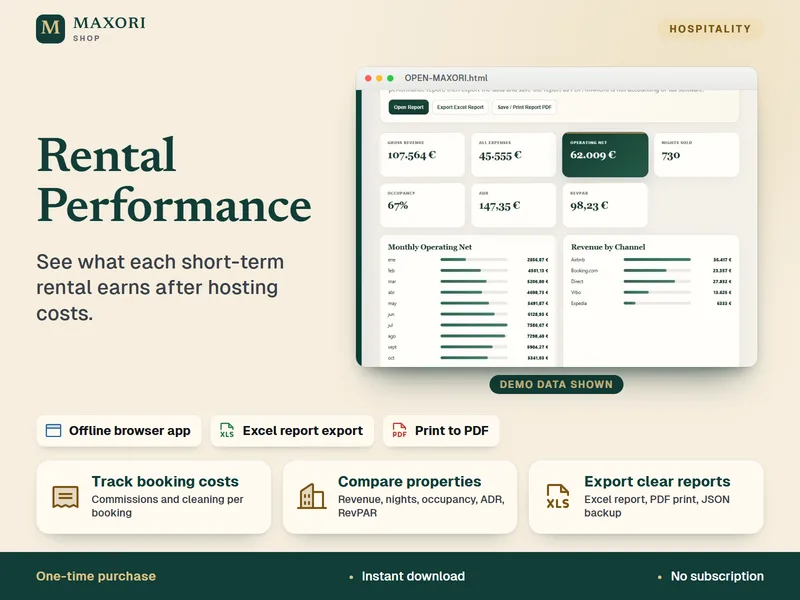
Rental Performance – Profit and Expense Tracker
See what each short-term rental earns after hosting costs.
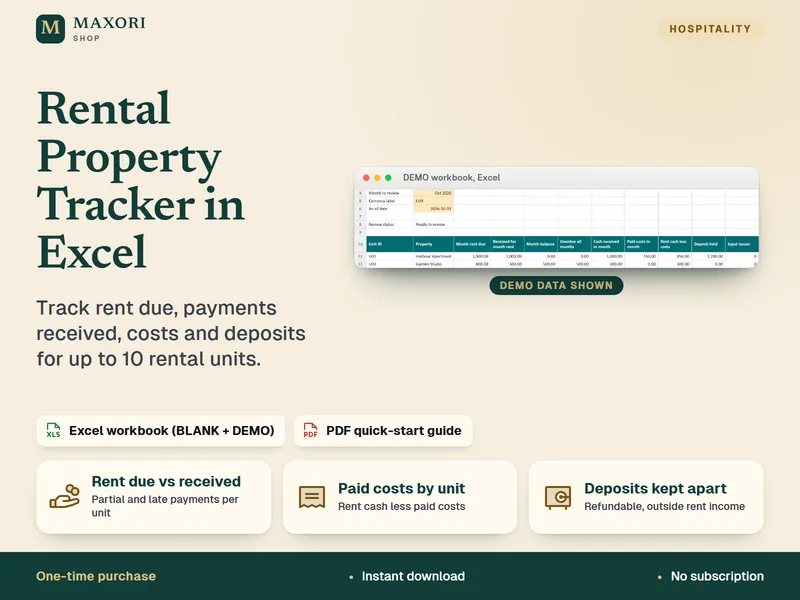
Rental Property Tracker in Excel – Rent, Costs and Deposits
Track rent due, payments received, property costs and deposits in one Excel workbook.
Host Expense & Tax-Prep Summary (Excel, 5 languages)
€9.90