 1 / 10
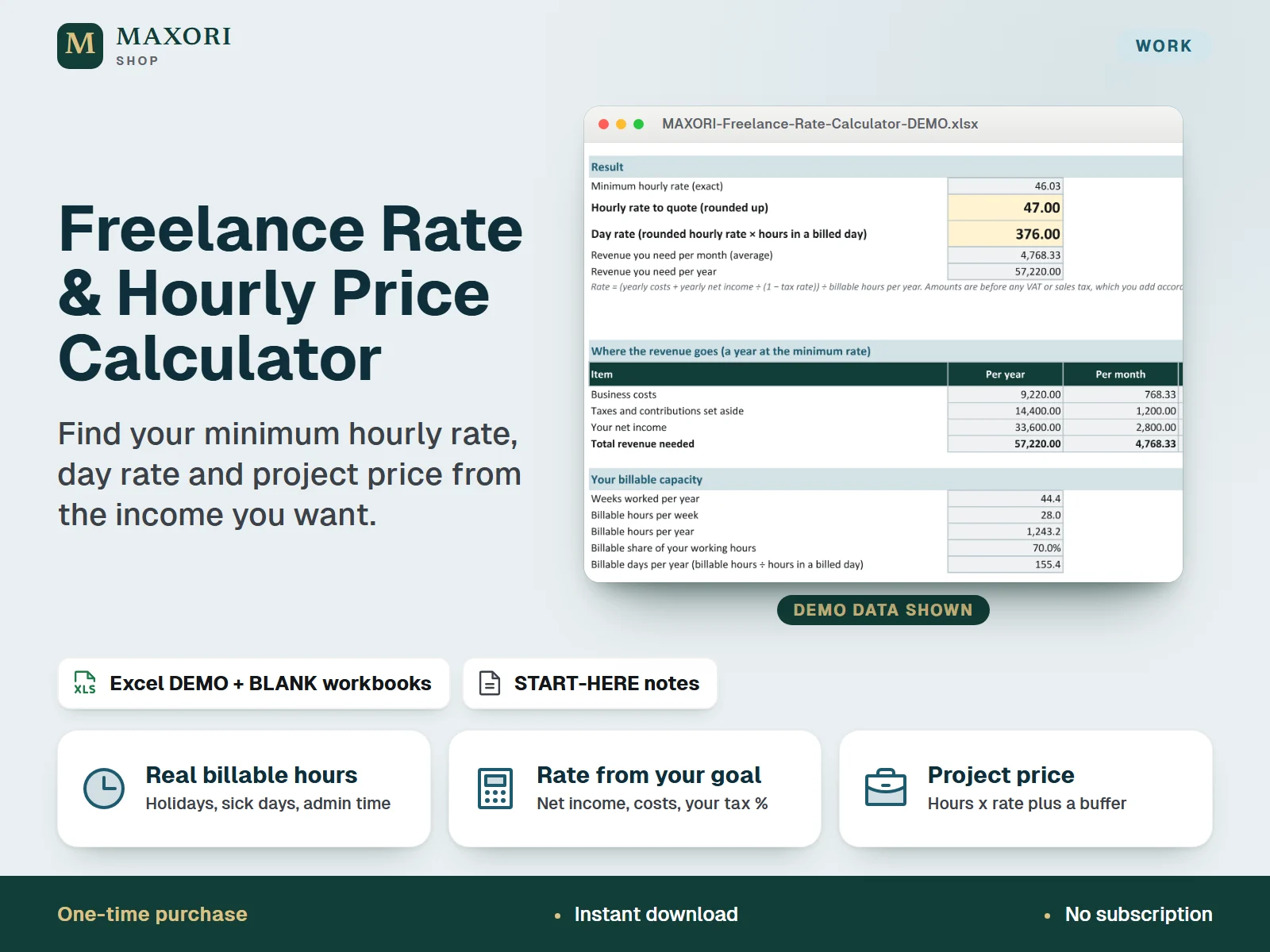
An Excel (XLSX) workbook for freelancers and solo professionals. Enter the net income you want each month, your business costs, a tax and contribution percentage that you set yourself, your working hours, non-billable time, holidays and sick days. The workbook shows the minimum hourly rate and day rate that cover them, prices a project from hours, a buffer and pass-through expenses, compares three scenarios and shows what happens if you bill more or fewer hours. One download holds five complete language editions, each with a fictional DEMO and an empty BLANK workbook.
The problem it solves
Hourly rates are often guessed or copied. Between non-billable admin, holidays, sick days, costs and taxes, only a part of your working hours can be invoiced, so a rate that looks fine can leave you short.
Who it is for
Freelancers, consultants, designers, writers and solo studios who set their own prices and want to know what rate their income goal really needs.
What you get
- From the monthly net income you want, your costs and your own tax percentage, get the minimum hourly rate, a rounded rate to quote and a day rate
- Counts what you cannot bill: non-billable hours, holiday weeks, public holidays, sick days and other days off, so the rate rests on real billable hours
- A split shows where the revenue goes: business costs, the share set aside for taxes and contributions, and your net income
- Project price estimator: up to 15 lines of hours, a buffer percentage and pass-through expenses, with a warning when your rate is below your minimum
- Compare your current plan with two scenarios of your own, such as lower costs or a higher income with fewer hours
- What-if tables show how the minimum rate changes with billable hours per week and with the net income you aim for
- Five full language editions in one purchase (EN, IT, ES, FR, DE), each with a DEMO and a BLANK workbook
How you use it
- Download and unzip the file, then open the folder of the language you want.
- Open the DEMO workbook in desktop Excel and look at Your Rate, Project Price, Scenarios and What-If.
- Keep the BLANK as a master, save a working copy, and fill the cream cells on Inputs: net income, costs, tax percentage, working time and days off.
- Check that the input checks say OK, then read your minimum hourly rate and day rate on Your Rate.
- Price a project on Project Price, compare scenarios and test billable hours on What-If.
Questions
How is this different from Price & Margin Studio and Quote & Estimate Builder?
This workbook answers one question: what hourly rate, day rate and project price does the income you want require. Price & Margin Studio prices products from materials, recipes and fees. Quote & Estimate Builder writes and tracks quotes with line items. The files are separate and not linked; you can use the rate from this workbook when you write a quote.
Does it calculate my taxes?
No. You enter a percentage of your profit that you set aside for taxes and contributions, and the workbook uses it. No tax rates or country rules are included, and it is not tax advice.
What counts as non-billable time?
Hours you work but cannot invoice, such as finding clients, writing quotes, admin, bookkeeping and learning. You enter them as hours per week, and the workbook subtracts them from your working hours.
Can I compare different plans?
Yes. The Scenarios sheet compares your current plan with two scenarios in which you change net income, costs, tax percentage, billable hours or weeks off. The What-If sheet shows how the rate moves with billable hours and net income.
Which languages are included?
English, Italian, Spanish, French and German. Each language folder has its own DEMO workbook, BLANK workbook and START-HERE.txt; the figures are the same in every language.
Does it work in Google Sheets or on a Mac?
It was built and recalculated in desktop Microsoft Excel for Windows. Google Sheets, Excel for the web, Mac and mobile have not been verified.
What is included
- One ZIP with five folders: EN, IT, ES, FR and DE
- In each folder: a DEMO workbook (a fictional freelance designer), an empty BLANK workbook and a START-HERE.txt, all in that language
- Six sheets per workbook: Start, Inputs, Your Rate, Project Price, Scenarios and What-If
- A START-HERE.txt in the root of the ZIP; 16 files in total
Requirements
Desktop Microsoft Excel (not included). XLSX files with formulas, input validation and sheet protection, no macros. Tested by recalculation in installed desktop Excel for Windows. Google Sheets, Excel for the web, Mac, mobile and older Excel versions have not been verified and are not promised.
Version 1.0
Good to know
- The tax and contribution rate is a percentage you enter yourself and apply to your profit before tax. No tax rates, rules or country settings are built in, and this is not tax, accounting or legal advice: ask your accountant or tax office what applies to you.
- Results show what your own numbers imply. They are not forecasts, no income is promised, and clients must actually buy the billable hours the calculation assumes.
- The result is the lowest rate that works for you, not what your market will pay. Compare it with your market and experience before you quote.
- One currency per workbook (the currency cell is only a label). Amounts exclude VAT and sales tax, which are not calculated.
- Up to 12 cost lines and 15 project lines; three scenarios and two nine-row what-if tables. It is not accounting, invoicing or time-tracking software and has no bank or cloud connection.
- Formula sheets are protected without a password to prevent accidental overwrites; only the cream cells are meant to be edited. The demo data is fictional.
- A one-time digital download for your own use, not the MAXORI online software; no resale or redistribution.
This is a downloadable digital product, not online software. It does not need an account and is not part of the MAXORI Software subscriptions.
Works well with
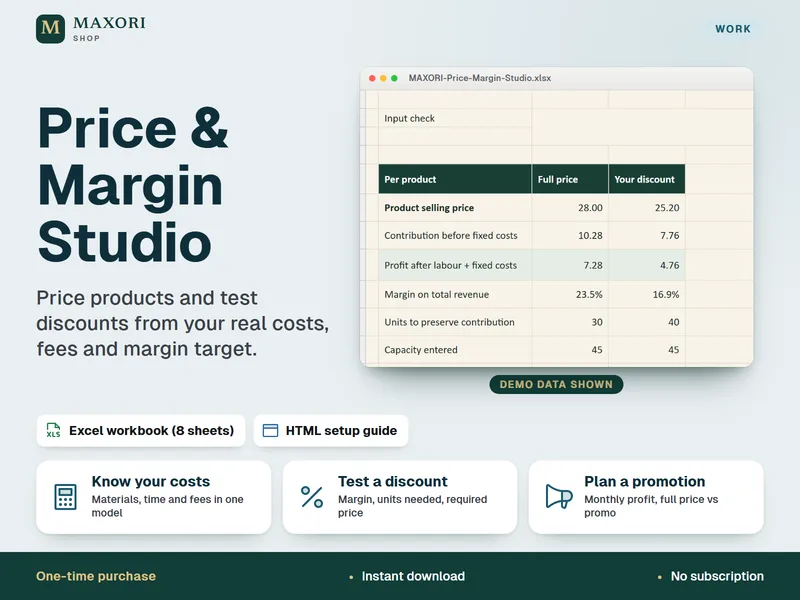
Price & Margin Studio – Excel Pricing and Discount Calculator
Price products from real costs, fees and margin, in one Excel workbook.
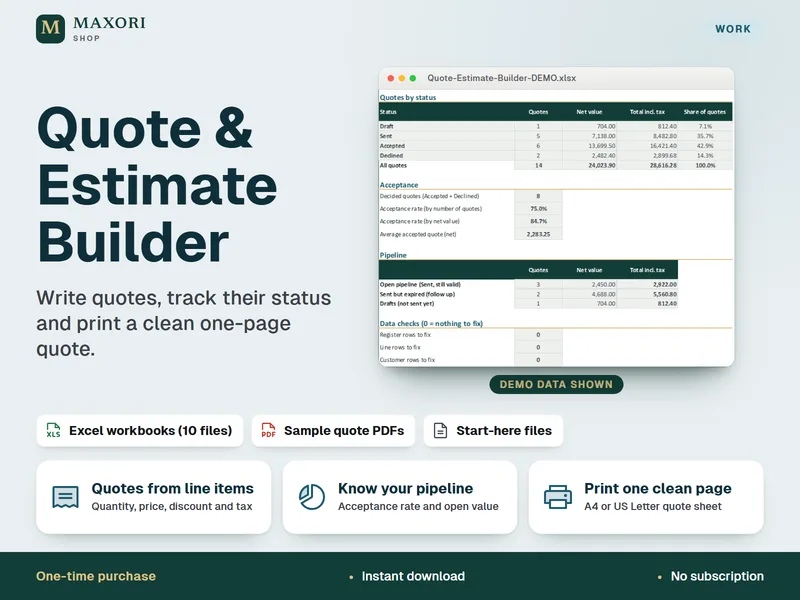
Quote & Estimate Builder – Excel Quote Template with Printable Quote Sheet
Write quotes, track their status and print a clean one-page quote.
Freelance Rate & Hourly Price Calculator – Excel Hourly Rate and Project Pricing
€8.35