 1 / 10
Preview inside
Browse the real pages of this product, page by page, before you buy.
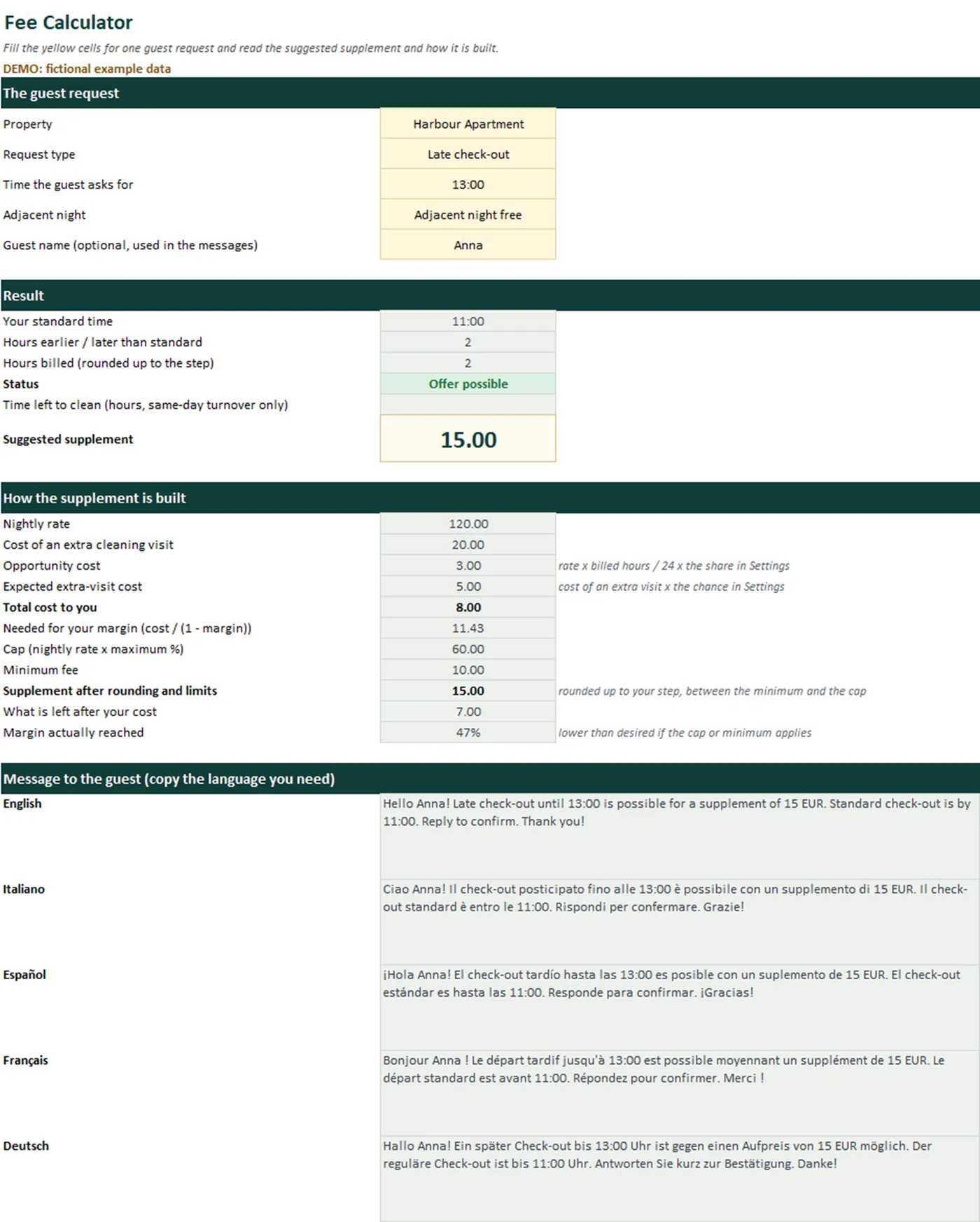
Real screens of the product with fictional example data. The file you download is editable or printable as described above.
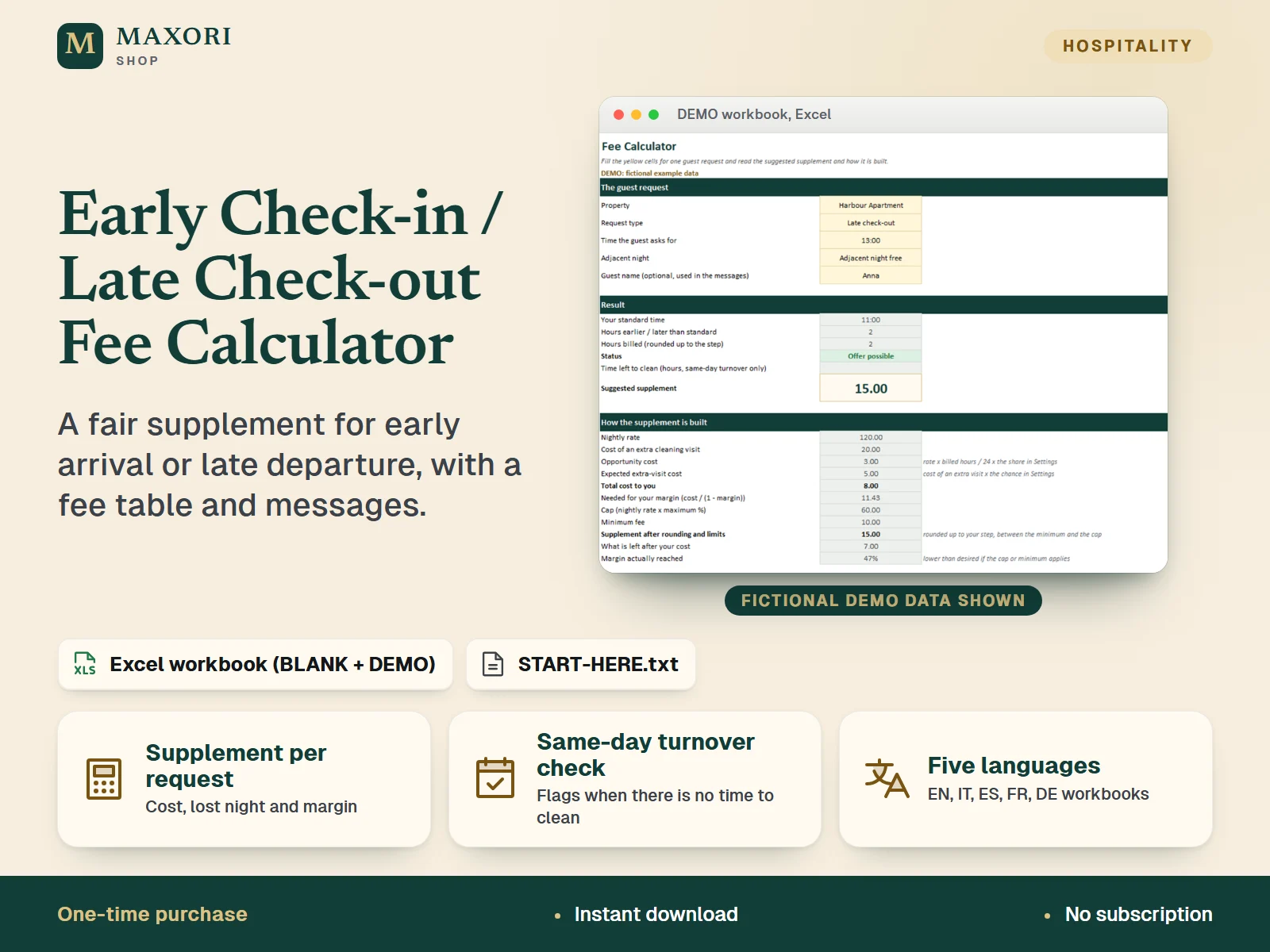
An Excel workbook (XLSX) for short-term rental hosts, B&B and guesthouse owners. Enter your standard check-in and check-out times, the nightly rate, the cleaning cost and the time cleaning takes for each property, choose the margin you want, and the workbook suggests a supplement for any early check-in or late check-out request. It counts the night you might lose and the chance of an extra cleaning visit, checks that there is still time to clean before the next guest, and shows how the number is built. A fee table lists the supplement for every hour band with text lines you can paste into guest messages, and ready-to-copy wording is included in English, Italian, Spanish, French and German. A BLANK workbook and a DEMO workbook with fictional data come in all five languages.
The problem it solves
Guests ask to arrive at 10:00 or leave at 15:00 and the answer is a guess: too cheap and you lose money on cleaning and a night you could have sold, too expensive and you lose the guest. Nobody has a table to paste into the chat.
Who it is for
Hosts, B&B and guesthouse owners and small property managers who get requests for early arrival or late departure and want a consistent, explainable supplement instead of guessing, in desktop Excel.
What you get
- A suggested supplement for each request, built from nightly rate, cleaning cost, extra-visit cost and the margin you choose
- See how the number is made: opportunity cost, expected extra-visit cost, total cost, rounding, minimum fee and cap
- Same-day turnover check: the offer is flagged as not possible when there is not enough time left to clean before the next guest
- Fee table by hour band for each property, with text lines to copy into your messages
- Ready-to-copy messages in English, Italian, Spanish, French and German, and the Calculator writes the message for the current request in all five
- Request log with totals: supplements accepted, your cost and what is left
- Complements seasonal pricing tools, which price nights, and pre-arrival messages, which tell guests the times
- All files in English, Italian, Spanish, French and German; start from the BLANK workbook or learn first with the DEMO
How you use it
- Download and unzip, open the folder of your language and try the DEMO workbook first.
- Open the BLANK workbook in desktop Microsoft Excel and save a working copy. In Settings, enter your standard check-in and check-out times, the margin, rounding, minimum fee, cap and the most hours you will offer.
- In Properties, add each rental with its nightly rate, the cleaning cost per turnover and how long cleaning takes.
- In Calculator, pick the property, early check-in or late check-out, the time the guest asks for and whether the adjacent night is free or there is a same-day turnover. Read the supplement and copy the message.
- In Fee Table, pick a property to get the supplement for every hour band, and record real requests in Request Log.
Questions
How is the supplement calculated?
Opportunity cost = nightly rate x billed hours / 24 x the share you set. Extra-visit cost = cleaning cost x the % you set x the chance an extra visit is needed. Supplement = (opportunity cost + extra-visit cost) / (1 - margin), rounded up to your step, never below your minimum and never above the cap.
Does it handle a guest who arrives while the previous guest is leaving the same day?
Yes. Choose 'Same-day turnover' and the workbook compares the hours between your standard check-out and check-in, minus the extra hours asked for, with the cleaning time of that property. If it is not enough the offer is flagged as not possible.
Can I paste prices into my guest messages?
Yes. The Fee Table gives one text line per hour band, and the Messages sheet has editable wording in five languages. The Calculator also writes the message for the current request.
Is it really in five languages?
Yes. Sheet names, headings, lists, instructions and the START-HERE guide are provided in English, Italian, Spanish, French and German, in separate folders. The translations have not been reviewed by native speakers.
Does it work in Google Sheets, LibreOffice or Excel for Mac?
It was tested in desktop Excel for Windows only. Other programs were not tested, so we cannot promise they behave the same.
What is included
- One folder per language (en, it, es, fr, de), each with the same files in that language
- BLANK workbook (XLSX): 7 sheets - Start, Calculator, Fee Table, Messages, Request Log, Properties, Settings
- DEMO workbook (XLSX): the same workbook with fictional data (4 properties, 8 logged requests)
- START-HERE.txt in every language folder, plus a short START-HERE.txt at the top level
Requirements
Microsoft Excel for desktop (not included). Built and tested with Excel 16.0 for Windows: all 10 workbooks were recalculated with no formula errors and the fee logic was checked against an independent calculation. No macros and no external links. Mac, Excel for the web, phone apps, Google Sheets and LibreOffice were not tested.
Version 1.0
Good to know
- Capacity: 10 properties and 40 logged requests. Calculated cells are locked without a password.
- The supplement is a pricing aid built on assumptions you set. The shares and chances in Settings and the DEMO values are examples, not statistics or recommendations.
- Times are inside one day: check-in must be later than check-out. Requests across midnight are not calculated.
- Check your booking platform's rules and your local law on extra charges and on what you must tell guests. This is not legal or tax advice.
- No macros, no cloud sync, no automatic emails: you copy the text into your own chat or email.
- Not accounting software and not a booking system. Example data is fictional. For your own business use; reselling or sharing the files is not allowed.
- The translations have not been reviewed by native speakers. This is a one-time digital download, separate from the MAXORI online software.
This is a downloadable digital product, not online software. It does not need an account and is not part of the MAXORI Software subscriptions.
Works well with
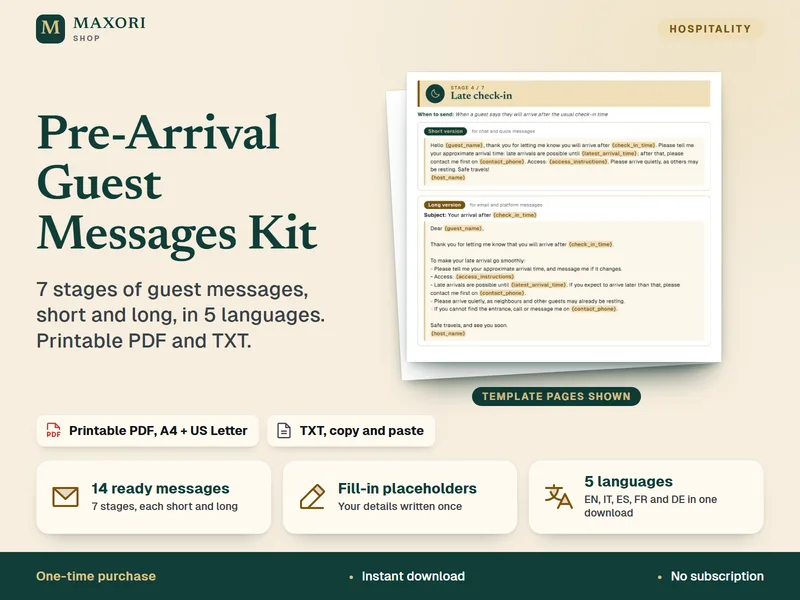
Pre-Arrival Guest Messages Kit – 14 Messages in 5 Languages
7 stages of guest messages, short and long, in 5 languages. Printable PDF and TXT.
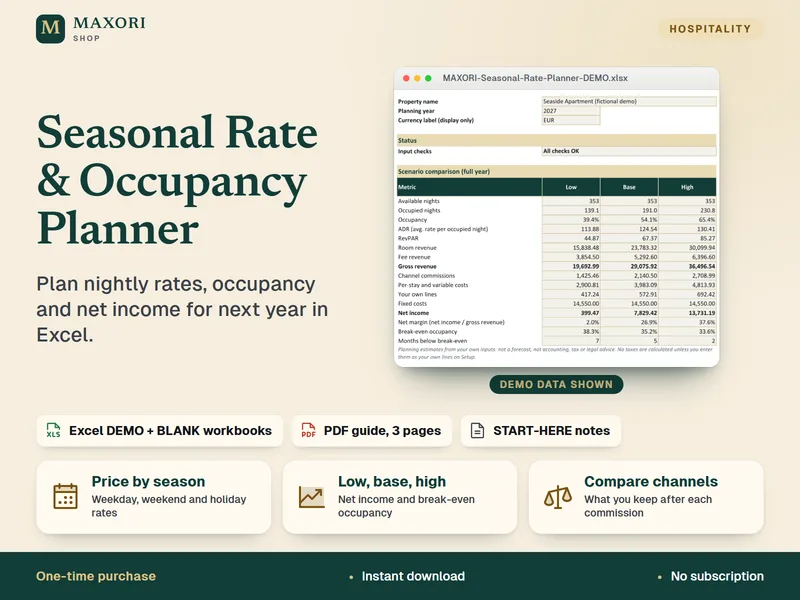
Seasonal Rate & Occupancy Planner – Excel Pricing Workbook
Plan nightly rates, occupancy and net income for next year, in 5 languages.
Early Check-in / Late Check-out Fee Calculator (Excel, 5 languages)
€8.35