Beauty
Salon Supply Reorder Checklist: Never Run Out of Gloves, Towels or Colour
By MAXORI Studio · Updated 18 October 2026 · 6 min read
Consumables run out at the worst moment: the last pair of gloves, the final foil, the colour a client booked for. The fix is not a bigger cupboard but a few numbers per item and a routine for checking them. This guide shows how to set reorder levels, work out the quantity to order and keep a record of suppliers and spend.
Set two numbers for every item
For each consumable, decide a minimum stock (the level at which you must reorder) and a target stock (the level you want to be back at). Base them on how fast the item is used and how long your supplier takes to deliver, so that you do not run out while an order is on its way.
- Minimum stock: reorder when current stock is at or below this.
- Target stock: the level you order up to.
- Pack size: the quantity in one pack, because you usually order whole packs.
- Supplier and unit cost: so the order is quick to place and the spend is easy to see.
Work out how much to order
The quantity to order is the target stock, minus what you hold, minus what is already on order, rounded up to a whole pack. Counting open orders stops you from ordering twice.
| Item (example) | Figures |
|---|---|
| Minimum stock / target stock | 4 boxes / 10 boxes |
| Current stock | 3 boxes (at or below minimum: reorder) |
| Already on order | 0 |
| Needed to reach target | 10 - 3 - 0 = 7 boxes |
| Pack size 2 | Order 8 boxes (4 packs) |
A weekly stock routine
Do it on a fixed day, so it does not depend on memory.
- Count each item and type the number in your sheet.
- Mark items at or below minimum as reorder.
- Subtract open orders and round up to the pack size.
- Check each supplier's minimum order value and lead time, and group items by supplier.
- Log each order with date, quantity and price, and set it to received when it arrives, then update the stock count.
Keep suppliers and spend in one place
A supplier directory with contact, lead time and minimum order saves phone calls and mistakes. An order log lets you see monthly spend by category and by supplier, and compare suppliers with your own figures. Enter all costs the same way, with or without VAT, and keep estimates separate from real invoices.
This is a method for your own records, not accounting, tax or legal advice.
Questions
How do I decide the minimum stock of an item?
Estimate how much you use between two deliveries, including the supplier's lead time, and keep at least that much as the minimum. Adjust it after a few weeks of real use.
How often should I count stock?
Weekly on a fixed day suits most salons. Fast-moving items such as gloves and towels may need a quick check more often.
Why count open orders?
So you do not order the same item twice while the first order is still on its way.
Should costs include VAT?
Choose one way, with or without VAT, and use it for every item so that totals can be compared. Check your local rules for your accounts.
Ready-made tools for this
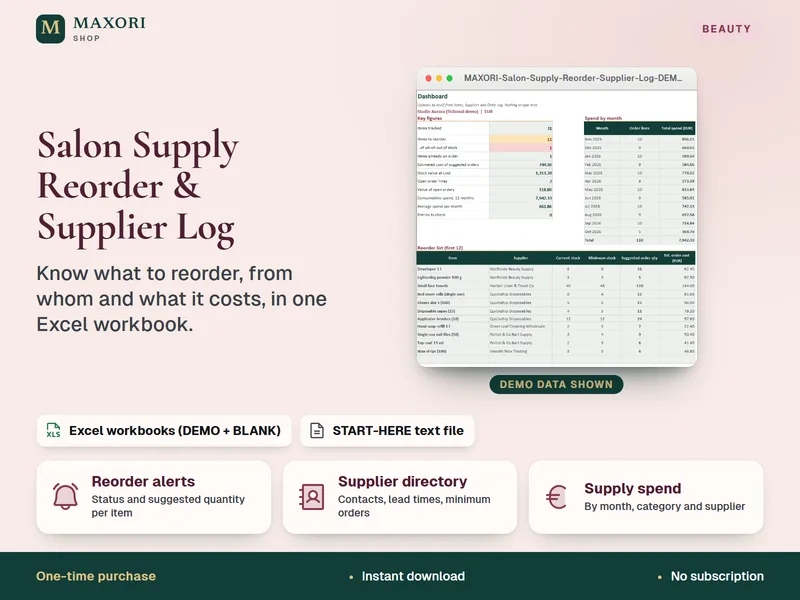
The Salon Supply Reorder & Supplier Log is an Excel workbook (up to 150 items, 40 suppliers and 500 order lines) that flags what to reorder, suggests the quantity rounded to the pack size, keeps a supplier directory and an order log and sums spend by month, category and supplier, in English, Italian, Spanish, French and German. Manual entry, no link to suppliers or tills, not accounting software; it needs desktop Excel (not included).