 1 / 9
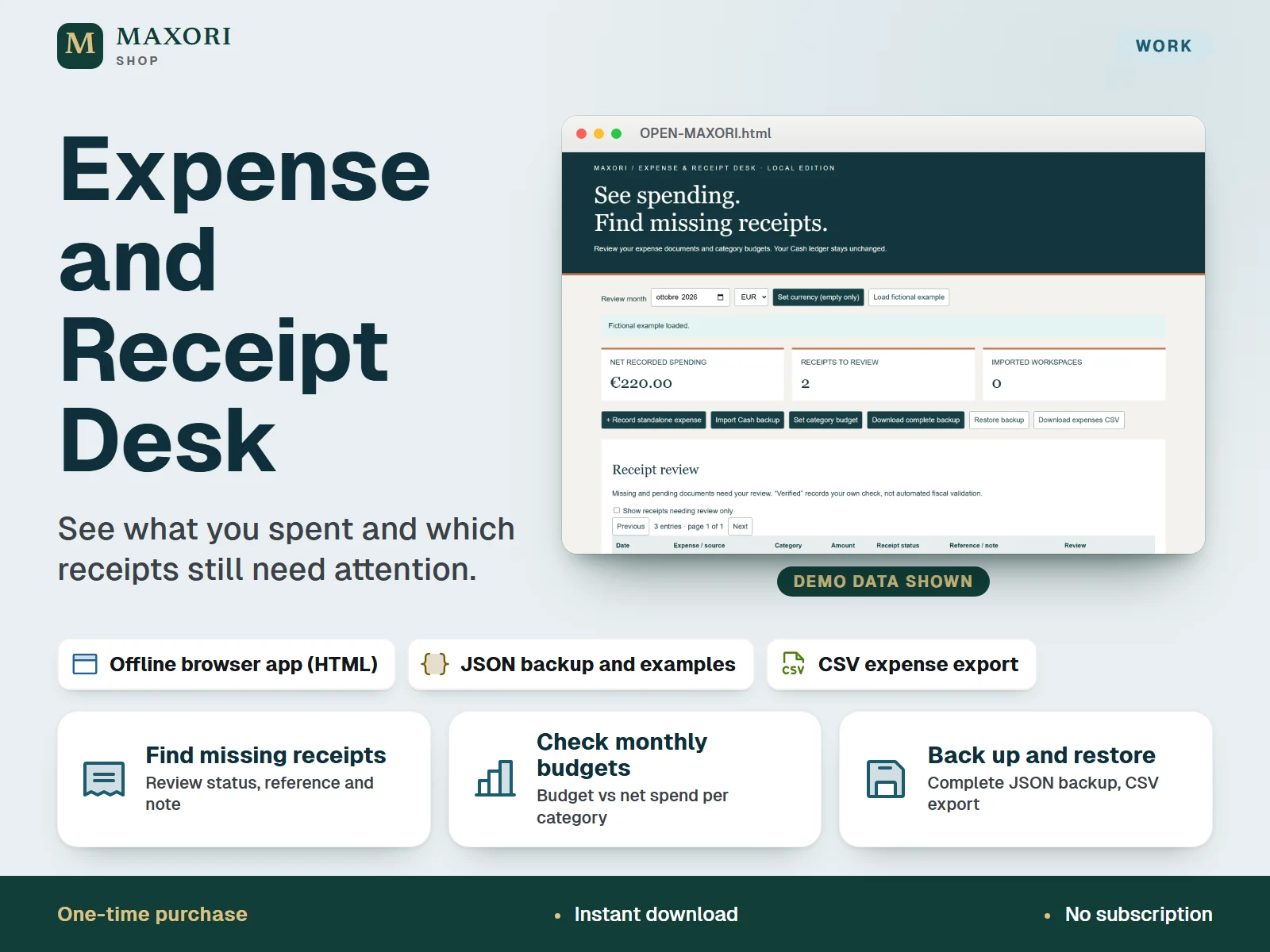
1 / 9An offline browser app for small businesses and freelancers: record expenses, keep a manual receipt checklist with document references, set monthly category budgets, and optionally import expenses from a MAXORI Cash backup. One-time digital download.
The problem it solves
Spending is recorded in one place while receipts are scattered, so it is hard to see which expenses still lack a document and whether each category stays within its monthly budget.
Who it is for
Small businesses and freelancers who need a practical expense-document checklist and monthly category budgets, working on one device.
What you get
- Filter missing and pending receipts and save your own status, document reference and notes; verified requires a reference
- Set monthly budgets by category and compare them with net recorded spending
- Import expenses and reversals from a MAXORI Cash & Invoice Desk or Connected Finance JSON backup without retyping or duplicates
- Download a complete JSON backup, restore it, and export a readable expenses CSV
How you use it
- Download your purchase and extract the whole ZIP to a stable folder on a desktop computer.
- Read QUICK-START.html, then open OPEN-MAXORI.html in desktop Chrome or Edge.
- Choose your currency, practise with the fictional example, then start your own empty workspace.
- Add expenses or import a Cash backup, review receipts and set category budgets.
- Download a complete JSON backup regularly and keep a copy outside the browser.
Questions
Does it scan or store my receipts?
No. It stores a plain-text reference and note for each expense, such as a filename or receipt number. Your actual receipt files stay where you keep them.
Do I need MAXORI Cash to use it?
No. It works on its own. If you own MAXORI Cash & Invoice Desk or Connected Finance, you can import their JSON backup manually; those products are sold separately and it is not live sync.
Is this the MAXORI online software?
No. It is a one-time digital download that runs offline in your browser; it is not a subscription service and nothing is synced to the cloud.
Is the example data real?
No. All practice names and amounts in the app, screenshots and example files are fictional.
What is included
- MAXORI Expense & Receipt Desk offline app (OPEN-MAXORI.html)
- Illustrated Quick Start guide (QUICK-START.html) and START-HERE.txt
- 7 real screenshots of the app (SCREENS folder)
- 4 fictional practice JSON files: an expense workspace backup, a Cash import, a Cash refund and a Connected import
Requirements
Desktop Chrome or Edge in a normal browser profile. No Excel, installation, cloud account or subscription required.
Version 1.0
Good to know
- Receipt references are plain text: receipt photos or PDFs are not attached, scanned or uploaded. Keep your documents separately.
- Not an Excel or Google Sheets file and not a mobile app; the interface and guide are in English only.
- The Cash import is a manual one-way snapshot, not live sync. MAXORI Cash & Invoice Desk and Connected Finance are separate purchases and are not included.
- Data is stored unencrypted in your browser on one device and profile; moving files, private mode, changing browser or clearing storage can make it inaccessible. Keep JSON backups.
- One currency per workspace (EUR, USD or GBP) with no conversion; single user, no bank feeds or reminders.
- Direct opening of the file could not be verified in the internal test browser (tested on a localhost preview): run your own save, reopen and restore check.
- An operational tool, not certified accounting, tax filing or bank reconciliation.
This is a downloadable digital product, not online software. It does not need an account and is not part of the MAXORI Software subscriptions.
Expense and Receipt Desk – Offline Expense Tracker
€7.14